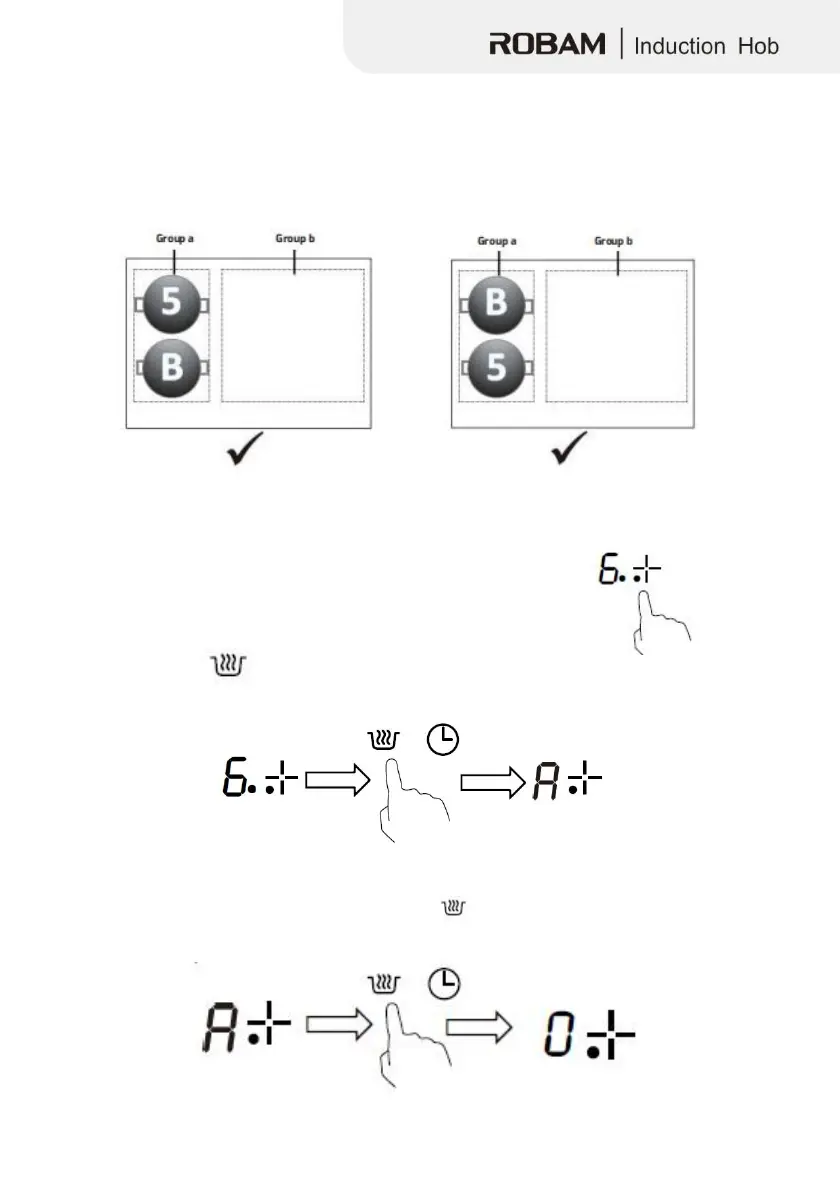
Restrictions for using Boost
The
four zones were divided into two groups. If you use boost on one zone, make
sure that the other zone within the group is working at or below power level 5.
Using
the Keep Warm function
The Keep Warm function is suitable for keeping food
warm.
1. Touch the heating zone selection button to select a desired
cooking zone.An indicator next to the key will
flash.
button, and then hold it for 1 seconds, the cooking
zone indicator will display“ A ” , The function has now been
activ
ated.
3.If you want to cancel the Keep Warm,
selection button, and then hold the button
heating zone will go back to Power level



 To Next Page