7
4.2 Lamp adjustment
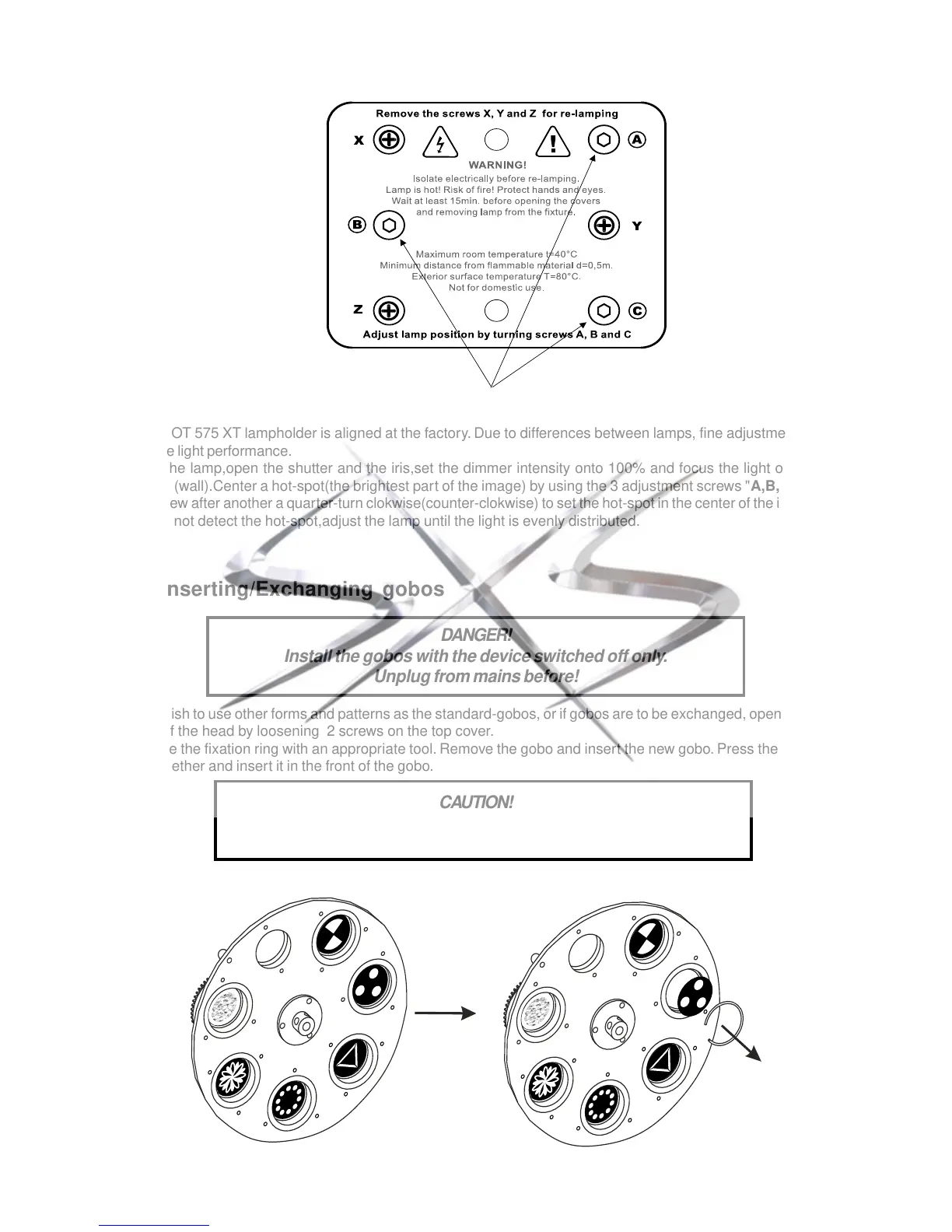
The SPOT 575 XT lampholder is aligned at the factory. Due to differences between lamps, fine adjustment may
improve light performance.
Strike the lamp,open the shutter and the iris,set the dimmer intensity onto 100% and focus the light on a flat
surface (wall).Center a hot-spot(the brightest part of the image) by using the 3 adjustment screws "A,B,C".Turn
one screw after another a quarter-turn clokwise(counter-clokwise) to set the hot-spot in the center of the image.If
you cannot detect the hot-spot,adjust the lamp until the light is evenly distributed.
4.3 Inserting/Exchanging gobos
DANGER!
Install the gobos with the device switched off only.
Unplug from mains before!
If you wish to use other forms and patterns as the standard-gobos, or if gobos are to be exchanged, open the top
cover of the head by loosening 2 screws on the top cover.
Remove the fixation ring with an appropriate tool. Remove the gobo and insert the new gobo. Press the fixation
ring together and insert it in the front of the gobo.
CAUTION!
Never unscrew the screws of the rotating gobo
as the ball bearing will otherwise be opened!
3 adjustment screws "A,B,C"



 To Next Page