CAUTION: ALWAYS DISCONNECT THE POWER SUPPLY TO
THE TOOL BEFORE ADJUSTING, CLEARING JAMS, SERVICING,
RELOCATING AND DURING NON-OPERATION.
NOTE: USE ROBERTS STAPLES 88-4115 TO MINIMIZE
POSSIBILITY OF JAMMING.
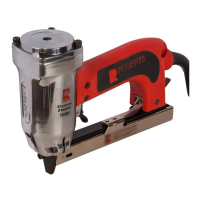
Clearing Fastener Jams inside the Magazine
1. Disconnect the power supply.
2. Press down the latch and pull back on the magazine.
3. Remove jammed fasteners using needle nose or standard pliers.
4. Reinsert staples in magazine.
5. Push the magazine cover forward until the latch catches.
6. Reconnect power supply.
Clearing Fastener Jammed in the Discharge Area
1. Disconnect the power supply.
2. Remove jammed fasteners using needle nose or standard pliers.
3. If fastener cannot be reached from discharge area, refer to
“Clearing Fastener Jams Inside the Magazine” above.
4. Reinsert staples in magazine.
5. Push the magazine cover forward until the latch catches.
6. Reconnect power supply.
General Maintenance
1. Keep all screws tight. Loose screws could result in unsafe operations
and breakage of parts.
2. Occasionally wipe the inside of the magazine and the “nose” with
light oil. Make sure dirt and debris is removed from the trigger area
magazine, and the staple “chute”.
3. Wipe tool clean daily and inspect for wear. Use non-flammable
cleaning solutions only if necessary. Never soak tool, for such
solutions may damage tool parts and electrical components.
4. Keep fastener discharge area clean at all times. Any residues could
cause jamming.
SERVICE: Return your stapler to your Roberts dealer or
distributor for servicing of any problem.
Maintenance & Inspection


 To Next Page