27
Equaliser function (Bass and Treble)
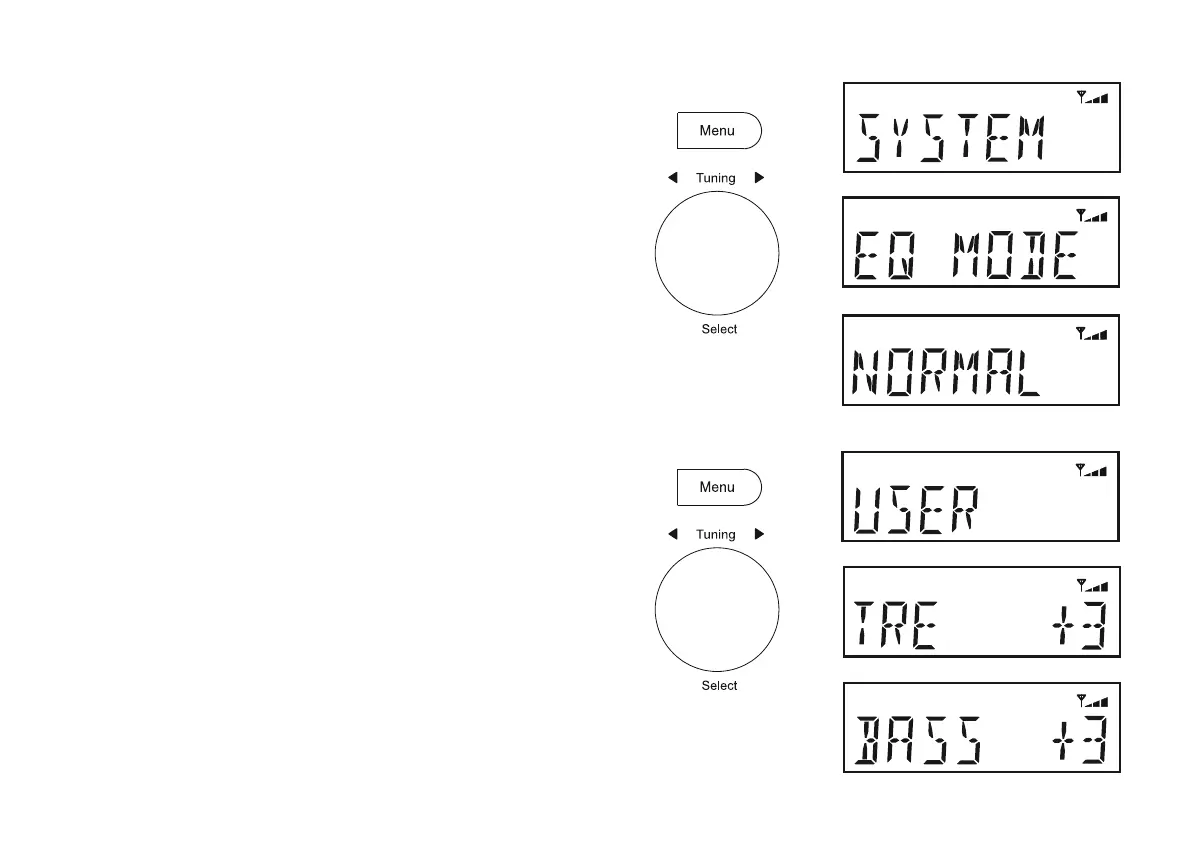
You may set the bass and treble levels to your own preferences using
the 'User' menu.
)ROORZVWHSVDERYHWRHQWHUWKH'EQ MODE'.
2. Rotate Tuning until 'USER' appears on the display. Press Tuning.
3. Rotate Tuning until 'BASS' or 'TREBLE' is displayed.
4. Press Tuning.
5. To adjust the Bass or Treble setting rotate Tuning until the desired
level (between - 5 and + 5) is displayed.
6. Press Tuning WRFRQ¿UP\RXUFKRLFH
7. To use the 'USER'SUR¿OHFKRRVHWKH'USER' option.
8. Press Menu as needed to exit.
To cancel the effect of the 'USER'SUR¿OHFKRRVHWKH1RUPDO option
from the equaliser menu. Note: The bass and treble settings will be
remembered for the next time you wish to use the 'USER' setting.
DAB
DAB
DAB
Equaliser function
The sound on your radio can be adjusted to suit your personal taste for
WKHPDWHULDOWKDW\RXDUHOLVWHQLQJWR7KHUDGLRKDV¿YHSUHVHWHTXDOLVHU
options. Alternatively, you may set the treble and bass levels as required.
1. Press On/Standby to switch on the radio.
2. Press Menu.
3. Rotate and press Tuning to select 'SYSTEM' and then 'EQ MODE'.
4. Rotate Tuning to choose the desired option. The options are as follows:
Normal, Rock, Pop, Jazz and Classic.
5. Press Tuning WRFRQ¿UP\RXUFKRLFH
DAB
DAB
DAB



 To Next Page