EasyManua.ls Logo

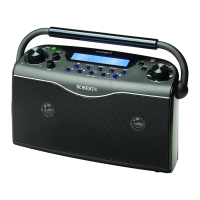
Roberts eco 4 Bt - User Manual

Roberts eco 4 Bt
36 pages
Print Icon
To Next Page IconTo Next Page
Loading...
Please read this manual before use
ROBERTS
DAB / DAB+ / FM RDS Bluetooth digital radio
Question and Answer IconNeed help?

Do you have a question about the Roberts eco 4 Bt and is the answer not in the manual?

Summary

Battery and Mains Operation

Operating your radio - DAB

Selecting a station - DAB

DAB Display Options

DAB Display Options - Continued

Finding new stations - DAB

Secondary Services - DAB

Manual Tuning - DAB

Dynamic Range Control (DRC) - DAB

Pruning DAB Stations

Operating your radio - FM Auto-Tune

Manual Tuning - FM

FM Display Options

FM Scan Sensitivity Setting

FM Stereo; Mono Setting

Presetting Stations

Recalling Preset Stations

Bluetooth Mode Overview

Connecting Bluetooth Devices

Playing Audio via Bluetooth

Managing Bluetooth Connections

Bluetooth Display Options

Software Version

Language Function

System Reset

Connectivity Ports

Headphone Socket

Details on using the 3.5mm headphone socket.

Auxiliary Input Socket

Details on connecting external audio sources via the auxiliary input.

Mains Supply and Software Updates

Mains Supply

How to connect the radio to AC power.

USB Socket for Software Upgrades

How to use the USB port for software updates.

Safety and Display Information

Cautions

Important safety warnings and usage precautions.

Display Backlight

How the display and button backlights operate.

Technical Specifications and Features

Specifications

Technical details and specifications of the radio.

Circuit Features

Details about the radio's internal circuit components.

Guarantee Information

Summary

Battery and Mains Operation

Operating your radio - DAB

Selecting a station - DAB

DAB Display Options

DAB Display Options - Continued

Finding new stations - DAB

Secondary Services - DAB

Manual Tuning - DAB

Dynamic Range Control (DRC) - DAB

Pruning DAB Stations

Operating your radio - FM Auto-Tune

Manual Tuning - FM

FM Display Options

FM Scan Sensitivity Setting

FM Stereo; Mono Setting

Presetting Stations

Recalling Preset Stations

Bluetooth Mode Overview

Connecting Bluetooth Devices

Playing Audio via Bluetooth

Managing Bluetooth Connections

Bluetooth Display Options

Software Version

Language Function

System Reset

Connectivity Ports

Headphone Socket

Details on using the 3.5mm headphone socket.

Auxiliary Input Socket

Details on connecting external audio sources via the auxiliary input.

Mains Supply and Software Updates

Mains Supply

How to connect the radio to AC power.

USB Socket for Software Upgrades

How to use the USB port for software updates.

Safety and Display Information

Cautions

Important safety warnings and usage precautions.

Display Backlight

How the display and button backlights operate.

Technical Specifications and Features

Specifications

Technical details and specifications of the radio.

Circuit Features

Details about the radio's internal circuit components.

Guarantee Information

Roberts eco 4 Bt Specifications

General IconGeneral
BrandRoberts
Modeleco 4 Bt
CategoryRadio
LanguageEnglish

Related product manuals