If you need any further advice, please call our Technical Helpline on :-
020 8758 0338 (Mon-Fri)
20
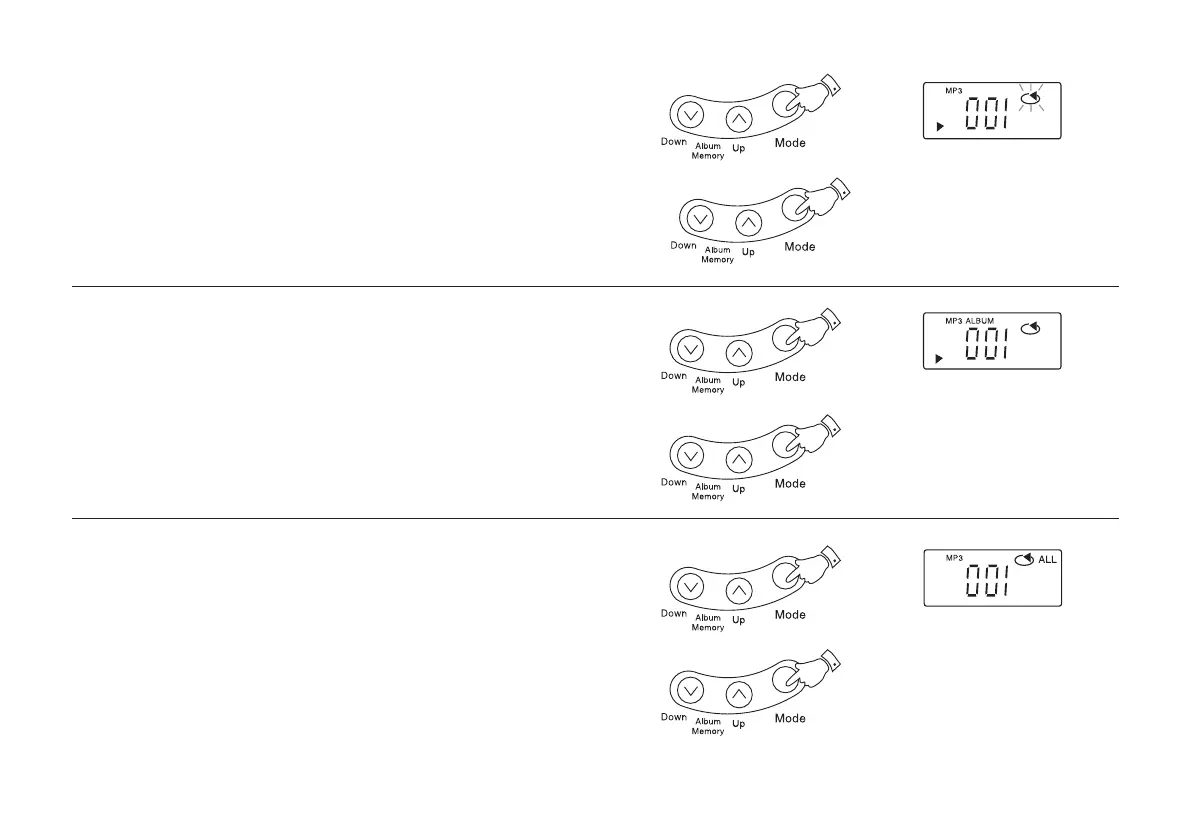
Repeating a file (Repeat 1 file)
1. During playback, press the Mode button until the repeat indicator
appears on the display.
2. To stop the function, press the Mode button until the repeat
indicator disappears.
Repeating all files in an album (Repeat album)
1. During playback press the Mode button twice. All the files on the
current album are played back.
2. To stop the function, press the Mode button until the repeat
indicator disappears.
1
2
1
2
1
2
Repeating all files (Repeat all)
1. During playback press the Mode button until the 'ALL' indicator
appears in the display. The whole CD is played back.
2. To stop the function, press the Mode button until the repeat
indicator disappears.
CD9989 Rev 1.pmd 5/24/2005, 10:37 AM21



 To Next Page