17
Selecting a track
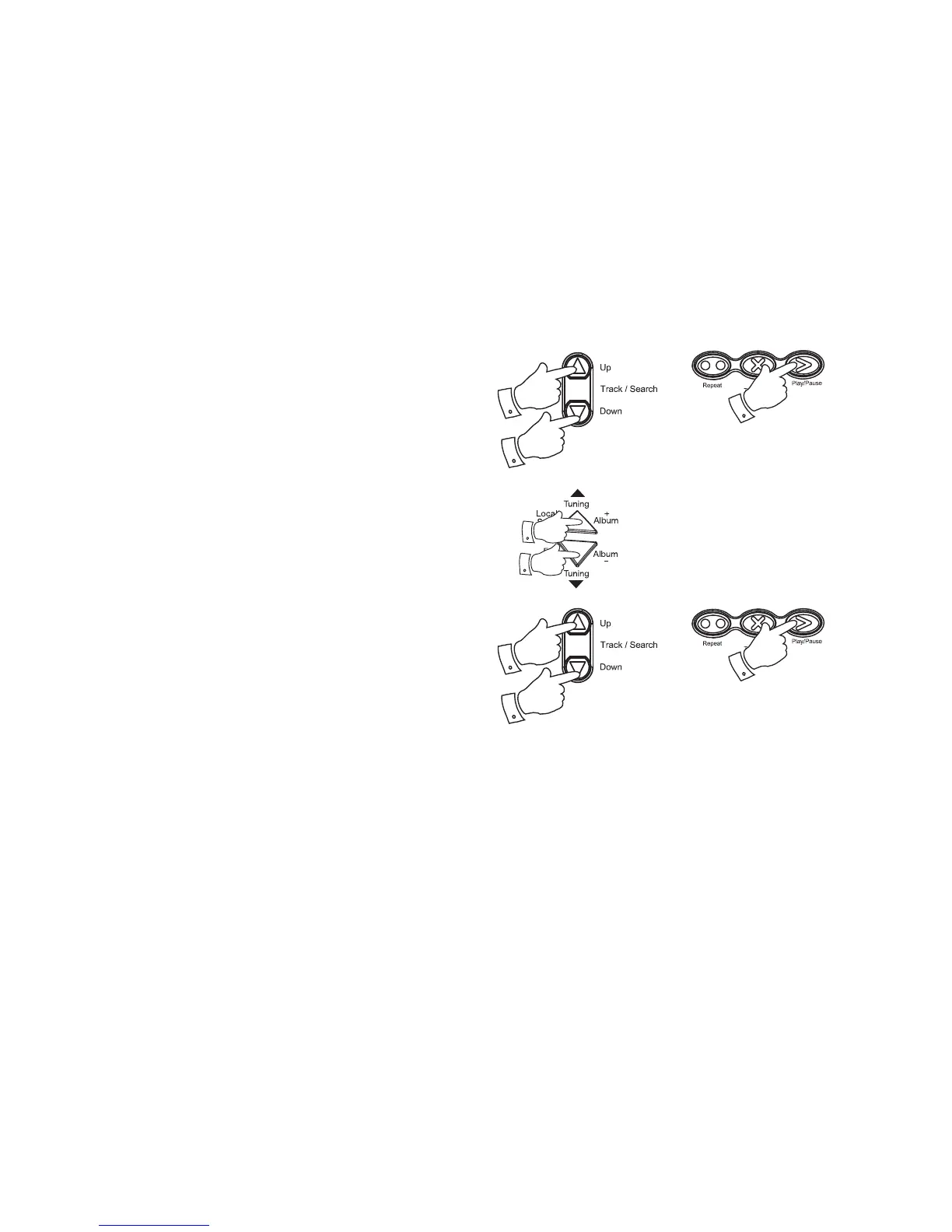
1. Audio CD: While the CD is playing, press either the Track Up or Down
buttons to change the desired track. You can also skip to a wanted
track when the player is in stop mode. Press the Play/Pause button
to play the selected track.
2. MP3/WMA CD: While the CD is playing, press either the Album +
or - buttons to change to the desired album / folder, then press either
the Track Up or Down buttons to change to the desired track. You
can also skip albums or tracks when the player is in stop mode. Press
the Play/Pause button to play the selected track.
1
1
1
2
2
2
2
2


 To Next Page