18
Search function
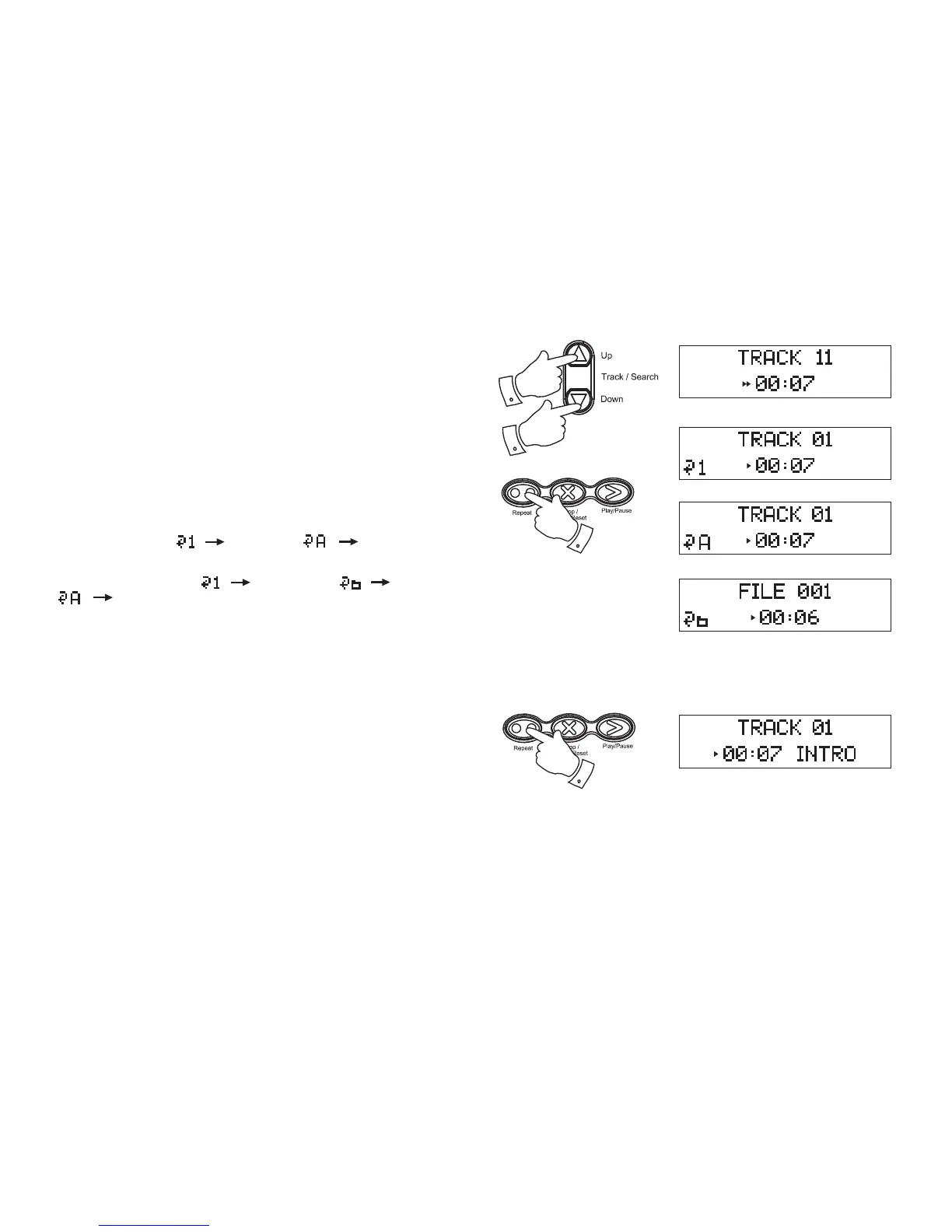
1. While the CD is playing, press and hold down either the Track/Search
Up or Down buttons. Release the button when the desired part of
the track is reached.
CD repeat mode
1. Whilst the CD is playing press the Repeat button. The radio will step
through the following options:
Audio CD: Repeat 1
, Repeat ALL , Normal Play
MP3/WMA CD: Repeat 1
, Repeat Album , Repeat ALL
, Normal Play
2. The display will show the currently selected repeat mode.
CD Intro mode
1. When in the stop mode, press and hold the Repeat button to play
the fi rst 10 seconds of each of the tracks on the disc. "Intro" appears
on the display.
2. To cancel the Intro mode, press the Repeat button.
1
1
1
1,2


 To Next Page