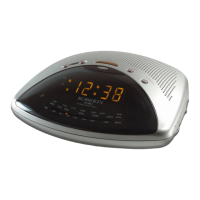
Switching on and setting the time
Before using your clock radio you must first set the correct time.
1. Place the unit on a flat surface. Plug the power cord into the wall socket
and switch on.
2. The clock display will flash 12.00.
3. Press and hold down the Time Set button.
4. Whilst holding down the Time Set button press the Hour, or Minute
buttons to set the time. Release the buttons when the correct time is
reached. The clock uses a 12 hour display with a PM indicator. Ensure
that the correct 12 hour cycle is selected.
ON
PM
88
54 0
92
60 0
96
80 0
10 0
1000
10 4 10 6
130 0
10 8
160 0
MHz
kH z
FM
MW
LW
15 0 17 0 21 0 24 0 26 0
kH z
3
PM
T
i
m
e
H
o
u
r
M
i
n
u
t
e
T
i
m
e
H
o
u
r
M
i
n
u
t
e
CR9901 Instruction Book.pm6 24/10/99, 13:484



 To Next Page