EasyManua.ls Logo

Roberts ecologic 15 - User Manual

Roberts ecologic 15
40 pages
Print Icon
To Next Page IconTo Next Page
Loading...
Please read this manual before use
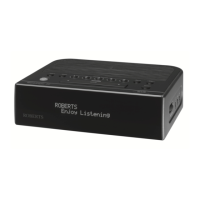
ROBERTS
Enjoy Listening
DAB/DAB+/FM RDS clock radio with OLED display
Question and Answer IconNeed help?

Do you have a question about the Roberts ecologic 15 and is the answer not in the manual?

Summary

Top View Controls

Band Button

Selects the DAB or FM waveband.

Tuning Up Button

Tunes to the next available station or increases a setting.

OLED Display

Shows information about the radio's current status.

Snooze Button

Silences the alarm for a short period.

Tuning Down Button

Tunes to the previous available station or decreases a setting.

Sleep Button

Sets the radio to turn off after a preset time.

On; Standby Button

Turns the clock radio on or switches it to standby mode.

Alarm Button

Accesses alarm settings and functions.

Right Side Controls

Rear Controls

First Time Setup

Operating Your Clock Radio

DAB Station Selection

DAB Signal Strength Display

Finding New DAB Stations

Manual DAB Tuning

Pruning DAB Stations

FM Auto-Tune Operation

Manual FM Tuning

FM Stereo; Mono Setting

FM Scan Sensitivity Setting

Presetting Stations (DAB & FM)

Recalling Preset Stations

Alarms

Setting an Alarm

Detailed steps for configuring the clock radio's alarms.

When the Alarm Sounds

Cancelling an Alarm

Controlling Alarms in Standby

Snooze Function

Setting the Snooze Duration

Sleep Function

Manual Clock Setting

Return to Auto Clock Set Mode

Brightness Control

System Reset

Auxiliary Input Socket

Line Out Socket

Headphone Socket

Summary

Top View Controls

Band Button

Selects the DAB or FM waveband.

Tuning Up Button

Tunes to the next available station or increases a setting.

OLED Display

Shows information about the radio's current status.

Snooze Button

Silences the alarm for a short period.

Tuning Down Button

Tunes to the previous available station or decreases a setting.

Sleep Button

Sets the radio to turn off after a preset time.

On; Standby Button

Turns the clock radio on or switches it to standby mode.

Alarm Button

Accesses alarm settings and functions.

Right Side Controls

Rear Controls

First Time Setup

Operating Your Clock Radio

DAB Station Selection

DAB Signal Strength Display

Finding New DAB Stations

Manual DAB Tuning

Pruning DAB Stations

FM Auto-Tune Operation

Manual FM Tuning

FM Stereo; Mono Setting

FM Scan Sensitivity Setting

Presetting Stations (DAB & FM)

Recalling Preset Stations

Alarms

Setting an Alarm

Detailed steps for configuring the clock radio's alarms.

When the Alarm Sounds

Cancelling an Alarm

Controlling Alarms in Standby

Snooze Function

Setting the Snooze Duration

Sleep Function

Manual Clock Setting

Return to Auto Clock Set Mode

Brightness Control

System Reset

Auxiliary Input Socket

Line Out Socket

Headphone Socket

Roberts ecologic 15 Specifications

General IconGeneral
TypeClock Radio
Tuning SystemDigital
DisplayLCD
Alarm FunctionYes
Battery BackupYes
Presets10
Snooze functionYes
Power SourceMains
RadioFM/DAB

Related product manuals