EasyManua.ls Logo

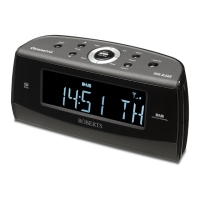
Roberts Chronoplus 2 - User Manual

Roberts Chronoplus 2
24 pages
Print Icon
To Next Page IconTo Next Page
Loading...
Please read this manual before use
ROBERTS
Enjoy Listening
FM / MW dual alarm clock radio with instant time set
Question and Answer IconNeed help?

Do you have a question about the Roberts Chronoplus 2 and is the answer not in the manual?

Summary

Controls Overview

Time and Date Setup

Setting the Time Manually

Procedure for manually adjusting the clock's current time display using the Time, Up, and Down buttons.

Setting Year and Date

Instructions for manually setting the current year and date using the Time, Date, Up, and Down buttons.

Alarm Functions

Setting Alarm Times

Steps to set wake-up times for Alarm 1 and Alarm 2, specifying buzzer or radio activation.

Configuring Alarm Days

Instructions for setting alarm days: Weekday (Mon-Fri), Weekend (Sat-Sun), or Everyday.

Alarm Day Modes

Details on setting Weekend and Everyday alarm schedules, including switching alarms on/off.

Radio and Listening

Power and Battery

Changing the Back-up Battery

Step-by-step instructions for replacing the backup battery, including safety precautions.

Specifications

Mains Supply

Troubleshooting

Resetting the Product

Instructions for resetting the clock radio in case of malfunction due to electrostatic discharge.

Summary

Controls Overview

Time and Date Setup

Setting the Time Manually

Procedure for manually adjusting the clock's current time display using the Time, Up, and Down buttons.

Setting Year and Date

Instructions for manually setting the current year and date using the Time, Date, Up, and Down buttons.

Alarm Functions

Setting Alarm Times

Steps to set wake-up times for Alarm 1 and Alarm 2, specifying buzzer or radio activation.

Configuring Alarm Days

Instructions for setting alarm days: Weekday (Mon-Fri), Weekend (Sat-Sun), or Everyday.

Alarm Day Modes

Details on setting Weekend and Everyday alarm schedules, including switching alarms on/off.

Radio and Listening

Power and Battery

Changing the Back-up Battery

Step-by-step instructions for replacing the backup battery, including safety precautions.

Specifications

Mains Supply

Troubleshooting

Resetting the Product

Instructions for resetting the clock radio in case of malfunction due to electrostatic discharge.

Roberts Chronoplus 2 Specifications

General IconGeneral
TypeClock Radio
BrandRoberts
ModelChronoplus 2
Display TypeLED
RadioYes
AlarmYes
Alarm FeaturesDual Alarm
Snooze FunctionYes
Power SourceMains
Backup BatteryYes
Radio TunerFM

Related product manuals