15
Changing the back-up battery
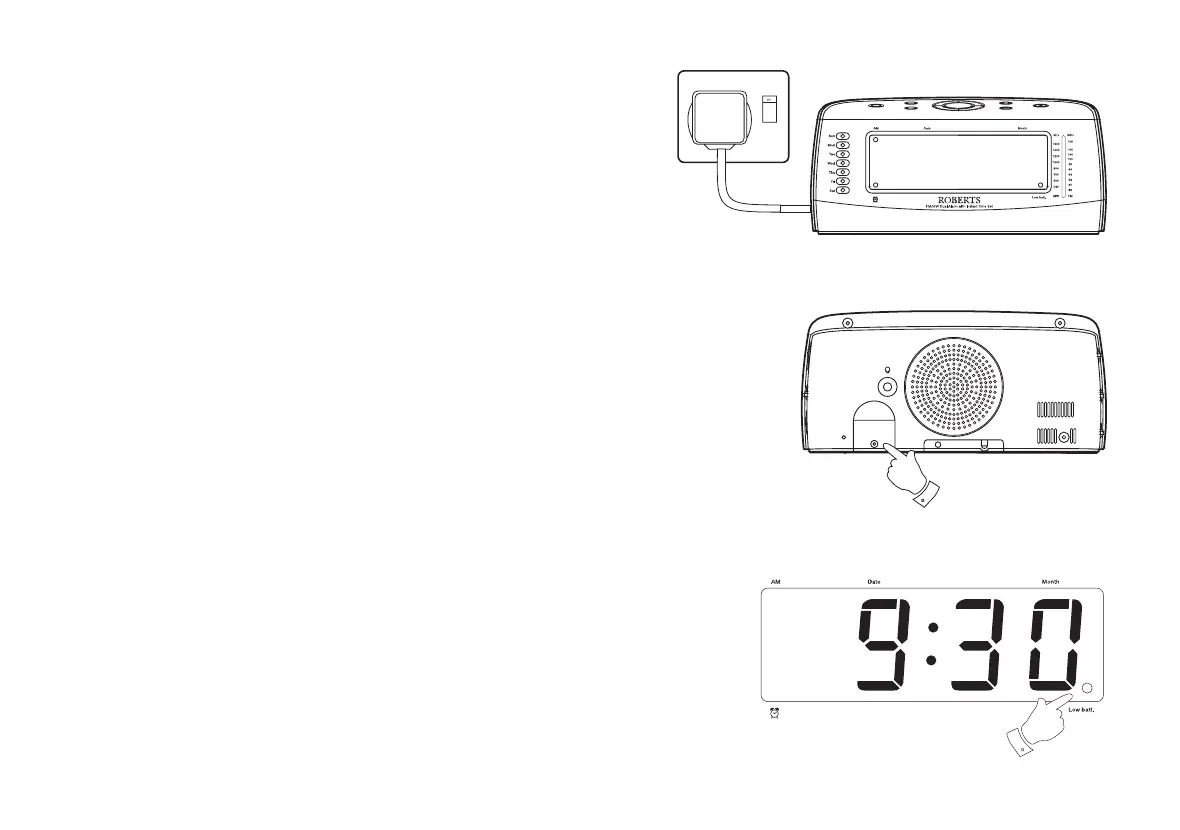
1. Purchase a replacement lithium backup battery type CR2032 or
equivalent.
2. Remove the new battery from its packaging so that it is ready to
install.
3. Important: Maintain connection to AC mains supply during battery
replacement. This will provide power whilst the original battery is
removed.
4. Open the battery cover located on the rear of the clock radio by
unscrewing the screw in an anti-clockwise direction.
5. Remove the old battery from holder. Replace new battery with
+ sign
facing upwards.
6. Replace the battery cover.
7. Check that the 'Battery low' indicator is not lit.
IMPORTANT: Danger of explosion if battery is incorrectly replaced. Replace
only with the same or equivalent type.
4














 To Next Page