EasyManua.ls Logo

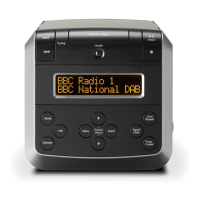
Roberts DreamDock 2 - User Manual

Roberts DreamDock 2
48 pages
To Next Page IconTo Next Page
Loading...
Please read this manual before use
ROBERTS
2
DAB / DAB+ / FM RDS Digital Clock Radio with dock for iPod
®
and iPhone
®
Question and Answer IconNeed help?

Do you have a question about the Roberts DreamDock 2 and is the answer not in the manual?

Roberts DreamDock 2 Specifications

General IconGeneral
BrandRoberts
ModelDreamDock 2
CategoryClock Radio
LanguageEnglish

Summary

Remote handset battery replacement

Using the clock radio for the first time

Switching on your clock radio

Operating your clock radio

Selecting a station - DAB

Manual tuning - DAB

Operating your clock radio - FM auto-tune

Manual tuning - FM

Display options - FM

Scrolling text

Displays scrolling text messages such as artist/track name, phone in number, etc.

Programme type

Displays type of station being listened to e.g. Pop, Classic, News, etc.

Presetting stations

Recalling a preset station

iPod and iPhone docking

Playing a file on your iPod or iPhone

Setting alarm times

When the alarm sounds

Setting the clock manually

System reset

Cautions

Related product manuals