12
Finding new stations - DAB
As time passes new stations may become available. To fi nd new stations
proceed as follows.
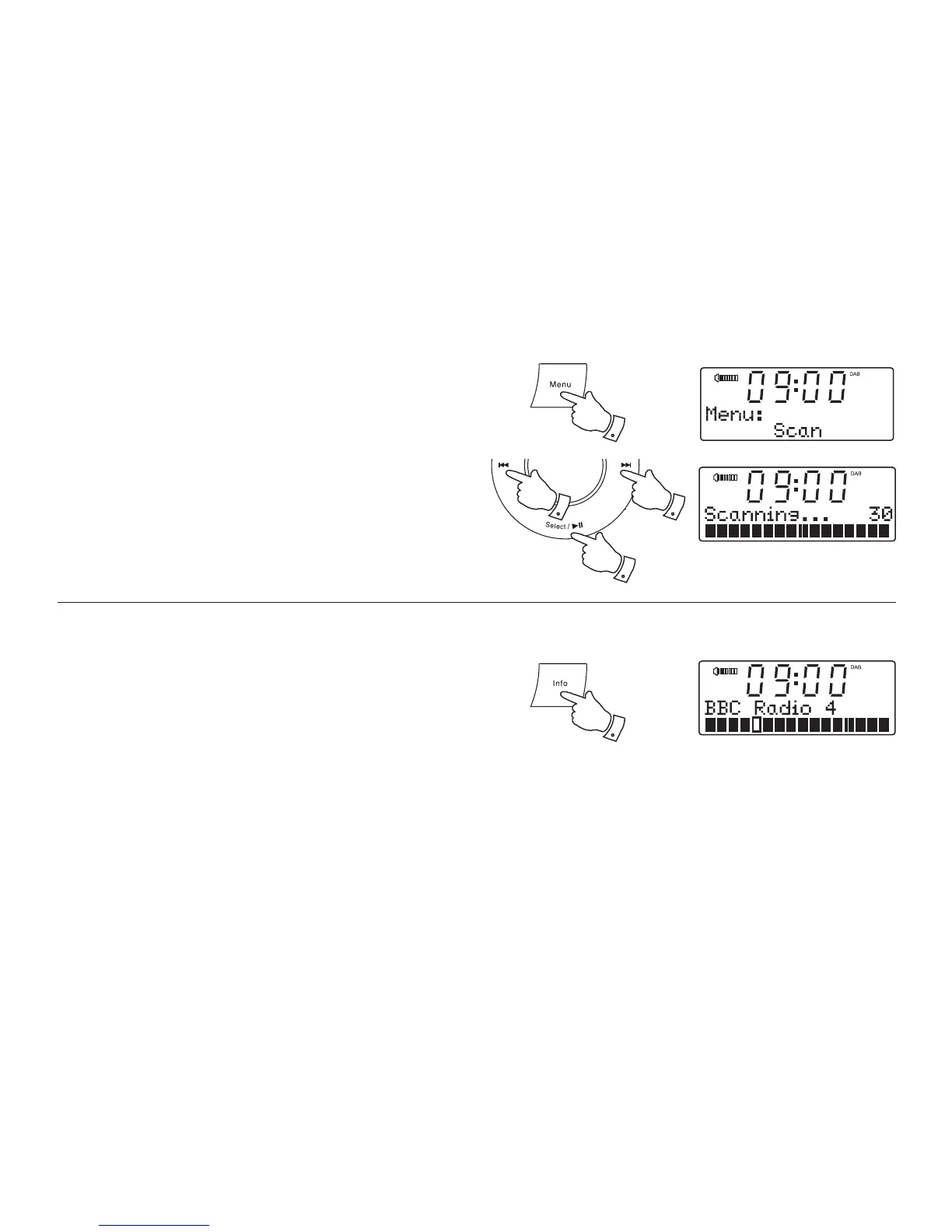
1. Press and release the Menu button.
2. Press the Tuning Up or Down buttons until the display shows 'Scan'.
3. Press and release the Select button. Your radio will perform a scan
of the Band III DAB channels. As new stations are found, the station
counter on the right-hand side of the display will increase and stations
will be added to the list.
1
22
3
Signal strength display - DAB
1. Press and release the Info button until the lower line of the display
shows signal strength.
2. Position your clock radio and try adjusting the aerial as to give maximum
number of black rectangles on the signal strength display. Normally,
the best reception will be found with the aerial fully extended.
3. The clear unfi lled rectangle indicates minimum signal level required
for satisfactory reception.
1












 To Next Page