Need help?
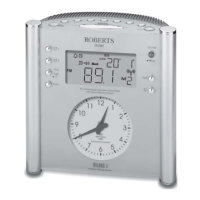
Do you have a question about the Roberts MessageR and is the answer not in the manual?
Step-by-step instructions for powering on the radio for the first time, including aerial setup.
Explains how to switch on the radio and the automatic scanning process for DAB stations.
Guides the user on how to tune into specific DAB radio stations from the available list.
Instructions for automatically scanning and tuning to FM radio stations.
Details the process of manually tuning to FM radio stations using the tuning control.
Instructions on how to store preferred DAB and FM stations into memory presets.
Explains how to recall and tune into stations that have been stored in the preset memories.
Guides on storing and recalling stations using the dedicated favourite station buttons.
Detailed steps for setting the time, source, and days for the radio's two alarms.
Explains how to cancel sounding alarms and how to permanently disable alarms.
Step-by-step guide to reset the radio to its default factory settings, erasing all user data.
 General
| Type | Clock Radio |
|---|---|
| Display | LCD |
| Radio Tuner | FM |
| Snooze Function | Yes |
| Battery Backup | Yes |
| Display Backlight | Yes |
| Alarm | Buzzer or Radio |
| Alarm Function | Yes |
| Power Source | Mains |
| Radio | FM |

 To Next Page