10
Secondary services - DAB
1. Certain radio stations have one or more secondary services associated
with them. If a station has a secondary service associated with it then
the secondary service will then appear immediately after the primary
service as you press the Tuning Up button.
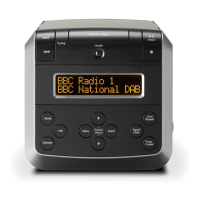
2. To tune to the secondary service, press and release the Select button.
Most secondary services do not broadcast continually and if the selected
service is not available, the radio will re-tune to the associated primary
service.
Display options - DAB
Your radio has a range of display options when in DAB mode:-
1. Press and release the Info button to cycle through the various options.
a. Scrolling text Displays scrolling text messages such
as artist/track name, phone in number,
etc.
b. Programme type Displays the type of station being
listened to e.g. Pop, Classic, News, etc.
a
1
2
1
b












 To Next Page