35
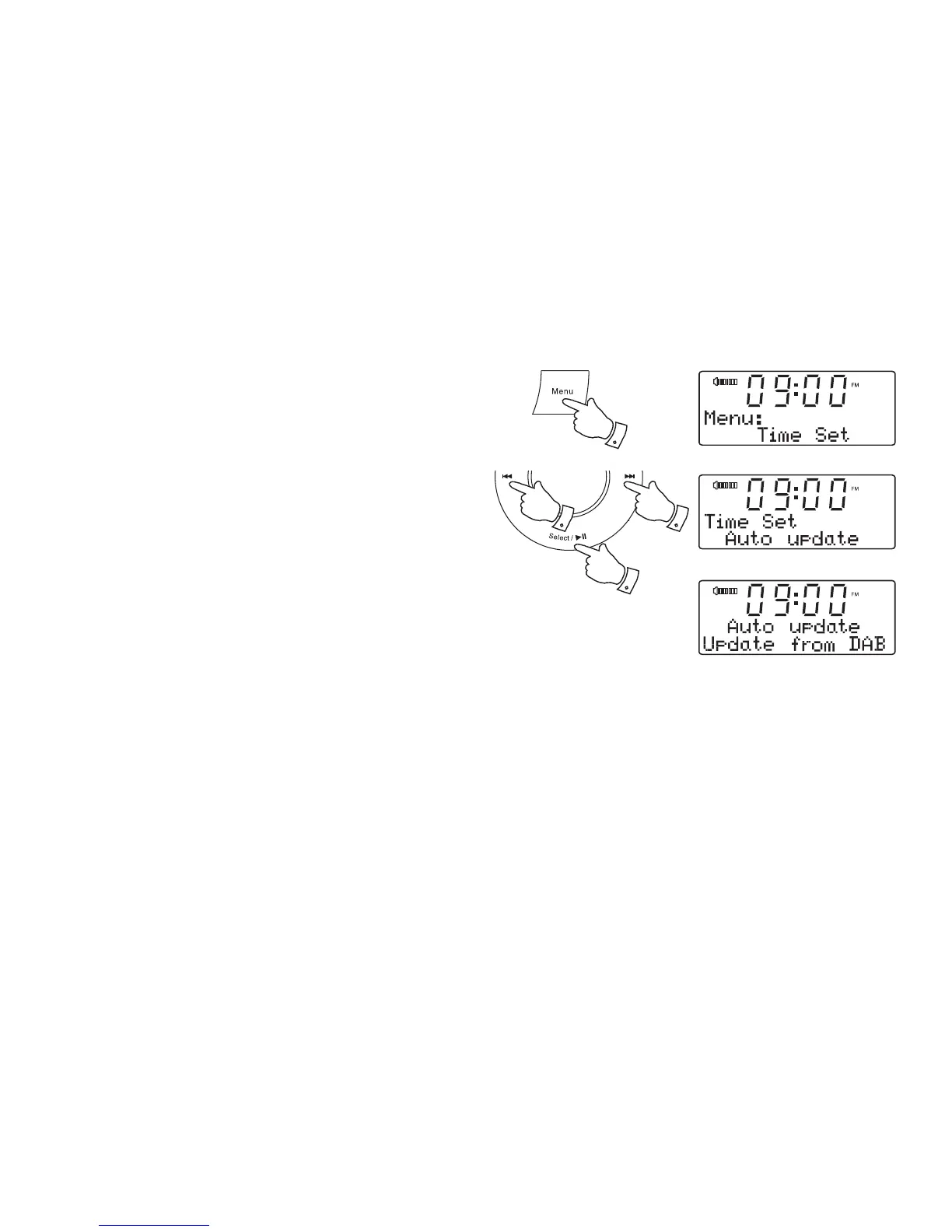
To return to auto clock set mode
The auto clock set mode may be set while the unit is in standby or while
playing.
1. Press and release the Menu button.
2. Press the Tuning Up or Down buttons until 'Time Set' appears on the
display. Press and release the Select button.
3. Press the Tuning Up or Down buttons until 'Auto update' appears on
the display. Press and release the Select button. The current setting
will be marked with an asterisk.
4. Press the Tuning Up or Down buttons to select either 'Update from
Any, Update from DAB, Update from FM or No update.' Press and
release the Select button to confi rm the setting.
5. If you choose 'Update from DAB' the clock radio will set its time
according to the information received with the DAB broadcast when
the radio is tuned to a DAB station.
1
2-4 2-4
2-4
*












 To Next Page