42
USB socket for software upgrade
As software updates become available software and information on how
to update your clock radio may be found at www.robertsradio.com
Language function
Your clock radio can be confi gured to display menus in a different language.
The Language can be adjusted while the unit is in standby mode or while
playing.
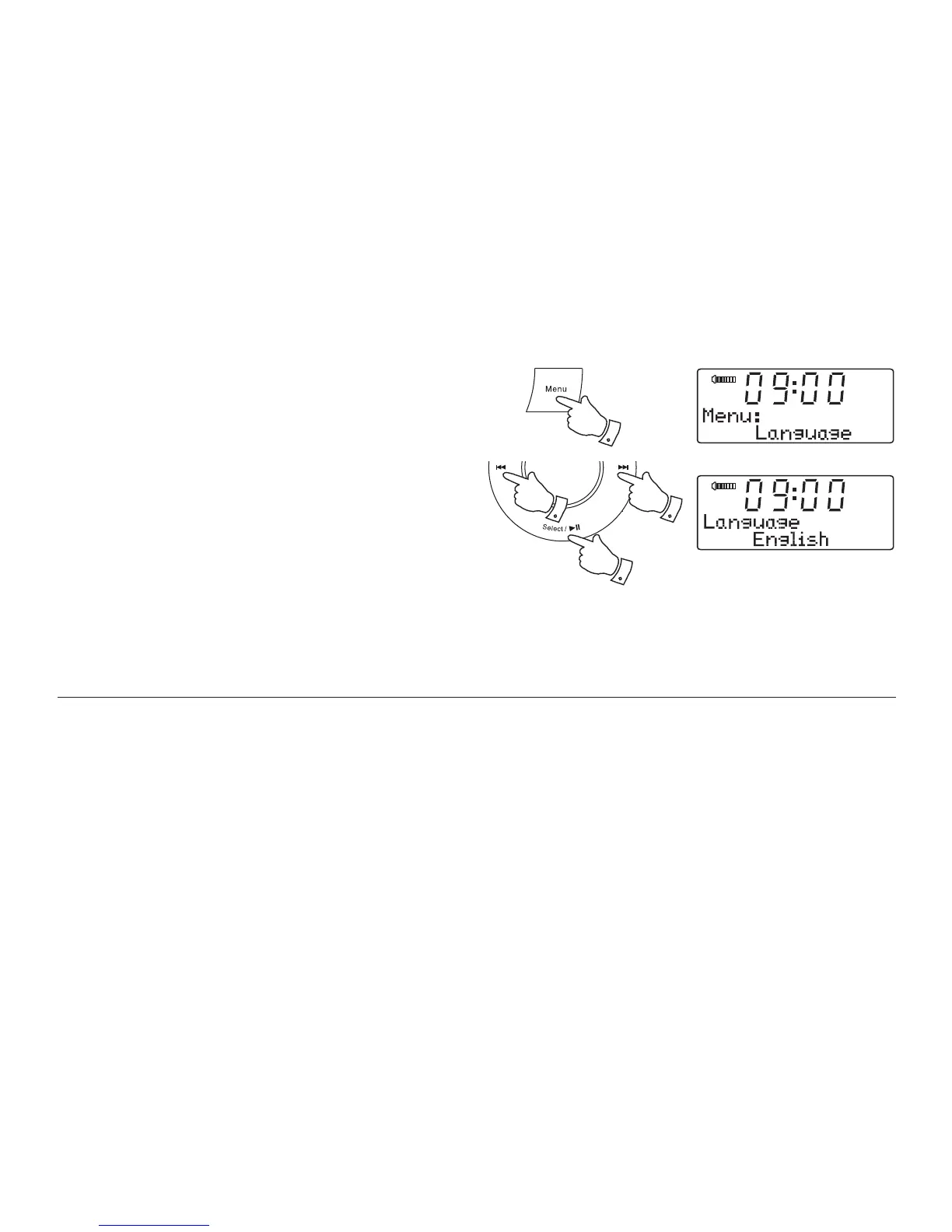
1. Press and release the Menu button to enter the menu.
2. Press and release the Tuning Up or Down buttons until the display
shows 'Language'.
3. Press and release the Select button to enter the language adjustment
menu. The current setting will be marked with an asterisk.
4. Press and release the Tuning Up or Down buttons until your desired
language appears on the display.
5. Press and release the Select button to confi rm your choice. The display
will change to the chosen language.
*
1
2-4 2-4
3,5












 To Next Page