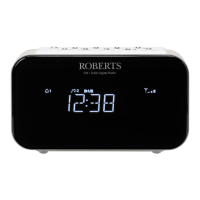
Storing a preset using the menu (presets 1 - 10)
1. Press and release the On/Off button to switch on the clock radio.
5HSHDWHGO\ press and hold the Menu/Mode button to select
HLWKHUWKH)0RU'$%PRGH
7XQHWRWKHUHTXLUHGVWDWLRQDVSUHYLRXVO\GHVFULEHG
4. Press and hold the Presets EXWWRQ7KHGLVSOD\ZLOOVKRZIRU
H[DPSOH(PSW\ if no station has been stored to that preset.
5. Rotate the Tuning/Select control to select the desired preset
QXPEHUXQGHUZKLFK\RXZLVKWRVWRUHWKHVWDWLRQ
3UHVV DQG UHOHDVH WKH Tuning/Select FRQWURO 7KH GLVSOD\ZLOO
VKRZIRUH[DPSOH'P1 SAVED'. The station will be stored under
the chosen preset. Repeat this procedure as needed for the
remaining presets.
6WDWLRQVZKLFKDUHDOUHDG\VWRUHGLQWKHSUHVHWVPD\EHRYHUZULWWHQ
E\IROORZLQJWKHDERYHSURFHGXUH
Recalling a preset using the menu (presets 1 - 10)
1. Press and release the On/Off button to switch on the clock radio.
5HSHDWHGO\ press and hold the Menu/Mode button to select
HLWKHUWKH)0RU'$%PRGH
3UHVVDQGUHOHDVHWKHPresets EXWWRQ7KHGLVSOD\ZLOOVKRZIRU
H[DPSOH(PSW\ if no station has been stored to that preset.
,IDSUHVHWKDVEHHQVWRUHGWKHQWKHGLVSOD\ZLOOVKRZHLWKHUWKH
VWDWLRQQDPHIRU'$%VWDWLRQVRUWKHIUHTXHQF\IRU)0VWDWLRQV
4. Rotate the Tuning/Select control to select the desired station.
5. Press and release the Tuning/Select control.
<RXUFORFNUDGLRZLOOWKHQWXQHWRWKHVWDWLRQVWRUHGLQWKHVHOHFWHG
SUHVHWPHPRU\
2
4
2


 To Next Page
 Loading...