7
Setting the FM Presets
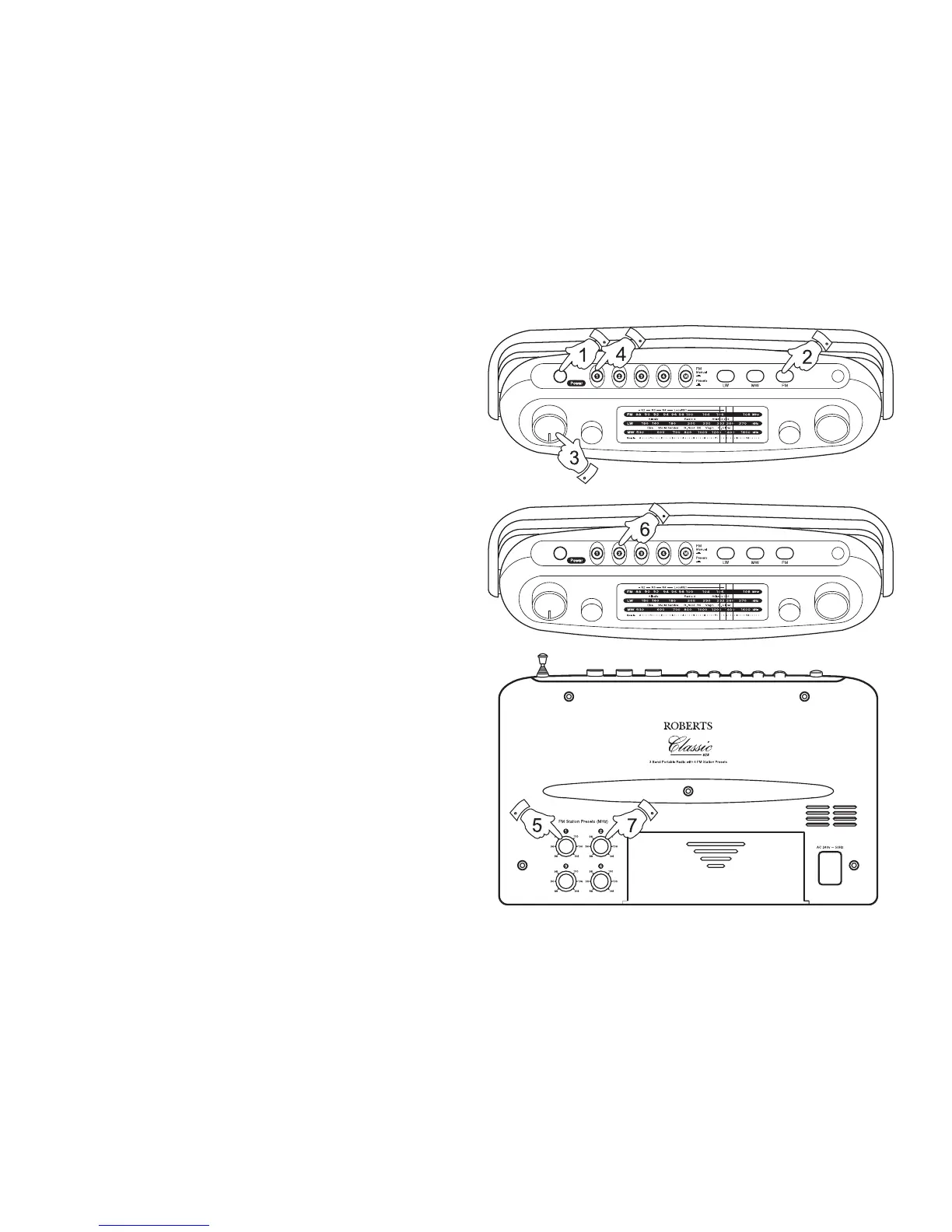
1. Switch on your radio by pressing the Power button.
2. Press the FM button to select the FM waveband.
3. Adjust the Volume control until a hissing sound is heard.
4. Press FM preset button 1
5. Rotate the FM preset control 1 (on cabinet rear) to select the
required station.
6. Press FM preset button 2.
7. Rotate the FM preset control 2 (on cabinet rear) to select the
required station.
8. Repeat this procedure for FM preset buttons 3 and 4.



 To Next Page