EasyManua.ls Logo

Roberts R9914 - User Manual

Roberts R9914
56 pages
Print Icon
To Next Page IconTo Next Page
Loading...
ROBERTS
Sound for Generations
Please read this manual before use
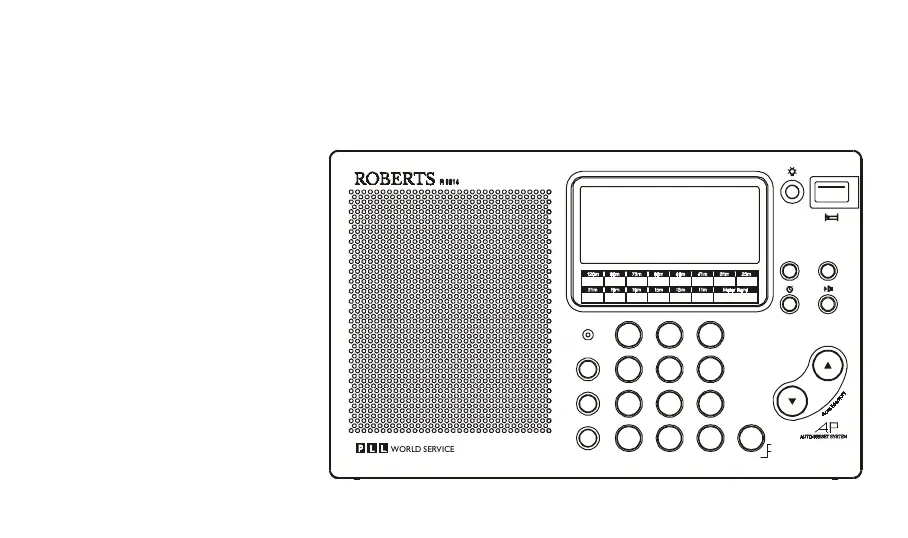
R9914
Multi-band digital preset stereo world radio
456
12
3
7
M
8
0
9
C
Tuning
Pow er
Display
Shortw ave Bands
3.2 00
3.4 00
2.3 00
2.4 95
3.9 00
4.0 00
4.7 50
5.0 60
5.9 00
6.2 00
7.1 0 0
7.3 5 0
9.4 00
9.9 90
11.60 0
12 .10 0
15 .10 0
15 .8 0 0
13 .5 0 0
13.8 70
17 .4 8 0
17 .9 0 0
18 .9 0 0
19 .0 2 0
21.45 0
21.75 0
25 .60 0
26 .10 0
Freq (M H z)
B and
T une /S S B
SW Select
SW Page
Mode
Alarm
D ual Tim e A M /P M M em o S can M em o D el
Enter
Freq
Tim e S et
M anual/A uto
FM S tereo/M W /LW /S W R adio R e ce iver
WORLD SERVICE

Questions and Answers

Summary

Features

Installing Batteries

Display Information

Broadcast Band Indicator

Indicates the current broadcast band being received.

Low Battery Indicator

Alerts the user when the batteries are low.

Frequency and Time Display

Main display area for frequency or time.

Battery Replacement

Using the AC Adaptor

Setting the Clock

Setting Dual Time

Waveband Selection

Tuning

Direct Keypad Tuning

Scan Tuning

Memory Tuning

Overwriting a Station in Preset Memory

Recalling a Station from Preset Memory

Memory Scan

APS (Auto Preset System)

Direct Access to SW Metre Bands

Single Sideband Mode

Setting the Alarm

Setting the Radio Alarm

Setting the HWS (Humane Wake System) Alarm

Setting the Sleep Timer

Mode Button

Mono;Stereo Switch

Headphones

Specifies requirements for headphones and their connection.

Troubleshooting;Reset Button

Specifications

Specifications cont.

Summary

Features

Installing Batteries

Display Information

Broadcast Band Indicator

Indicates the current broadcast band being received.

Low Battery Indicator

Alerts the user when the batteries are low.

Frequency and Time Display

Main display area for frequency or time.

Battery Replacement

Using the AC Adaptor

Setting the Clock

Setting Dual Time

Waveband Selection

Tuning

Direct Keypad Tuning

Scan Tuning

Memory Tuning

Overwriting a Station in Preset Memory

Recalling a Station from Preset Memory

Memory Scan

APS (Auto Preset System)

Direct Access to SW Metre Bands

Single Sideband Mode

Setting the Alarm

Setting the Radio Alarm

Setting the HWS (Humane Wake System) Alarm

Setting the Sleep Timer

Mode Button

Mono;Stereo Switch

Headphones

Specifies requirements for headphones and their connection.

Troubleshooting;Reset Button

Specifications

Specifications cont.

Roberts R9914 Specifications

General IconGeneral
BrandRoberts
ModelR9914
CategoryPortable Radio
TypeAnalogue
TuningRotary
Power SourceBattery
Audio OutputMono
ColorBlack
WavebandsFM
Band CoverageFM: 87.5-108 MHz

Related product manuals