If you need any further advice, please call our Technical Helpline on :-
020 8758 0338 (Mon-Fri during office hours)
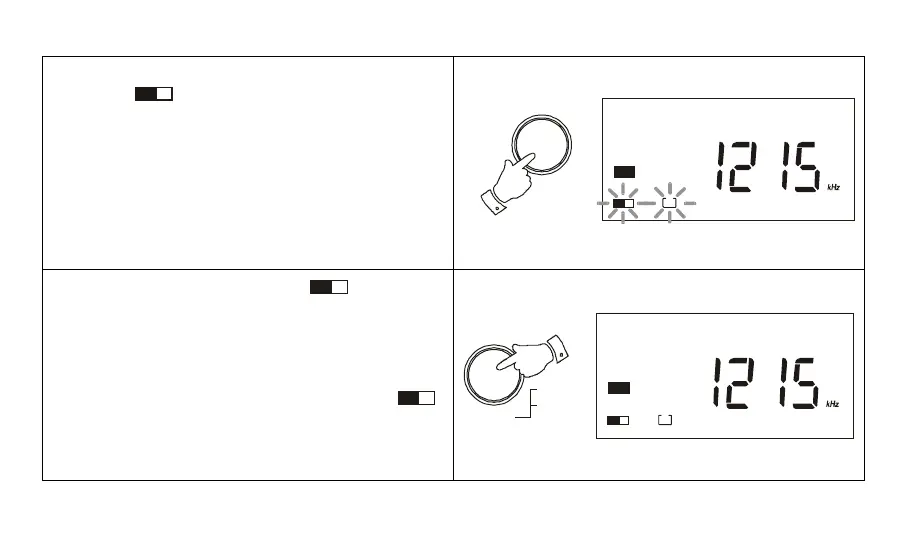
3. Press the button marked M (memory), the memory
symbol
1
M
together with a suggested preset
number will flash in the display for 7 seconds.
Note: If some of the presets have already been used the
radio will suggest the next available preset location.
4. Press the ENTER button, the
1
M
symbol and
preset location will stop flashing and your station will
be stored in the memory preset.
5. On SW when presets 1 to 9 are full a second page of
memory may be selected. Press the M button followed
by the SW page button. The display will show
2
M
,
and an additional 1-9 presets can be used giving a
total of 18 presets on SW.
1
M
1
MW
1
M
1
MW
29
M
Enter
Freq
Time Set



 To Next Page