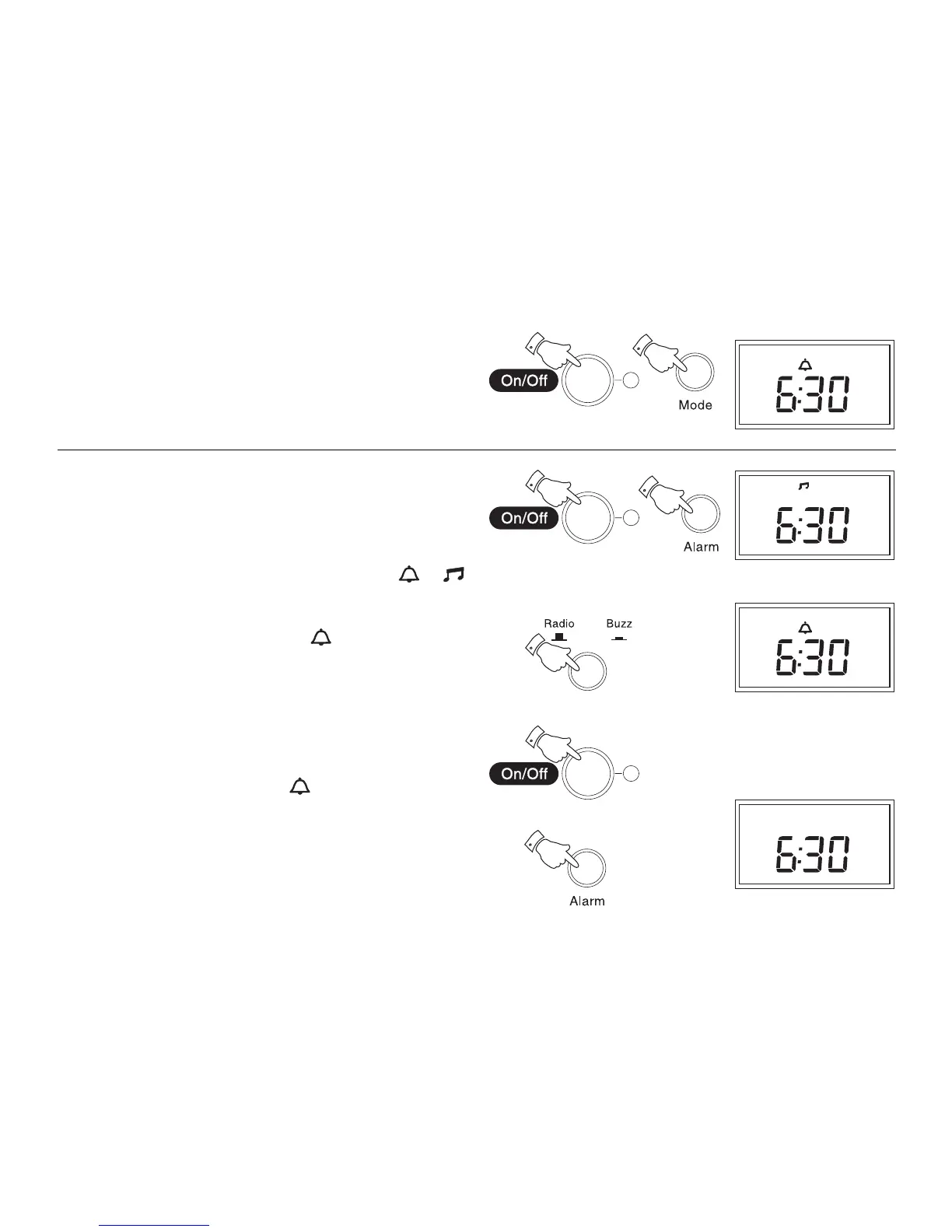
Displaying the alarm time
1. Switch off your radio using the On/Off button.
2. Press the Mode button once to display alarm time. Clock time will
resume automatically after 3 seconds.
Wake to buzzer
1. Set the alarm time as previously described.
2. Switch off your radio using the On/Off button.
3. Press and release the Alarm button until either the or
symbol appears in the display.
4. Press the Radio/Buzz button until the symbol appears in the
display.
5. At the preselected time the buzzer will switch on. The buzzer will
switch off automatically after 90 minutes. The buzzer alarm may be
switched off for 24 hours by pressing the On/Off button.
6. To permanently cancel the buzzer alarm repeatedly press and
release the Alarm button until the symbol is removed from
the display.
9
2
1
2
5
6
3
4



 To Next Page