If you need any further advice, please call our Technical Helpline on :-
020 8758 0338 (Mon-Fri)
10
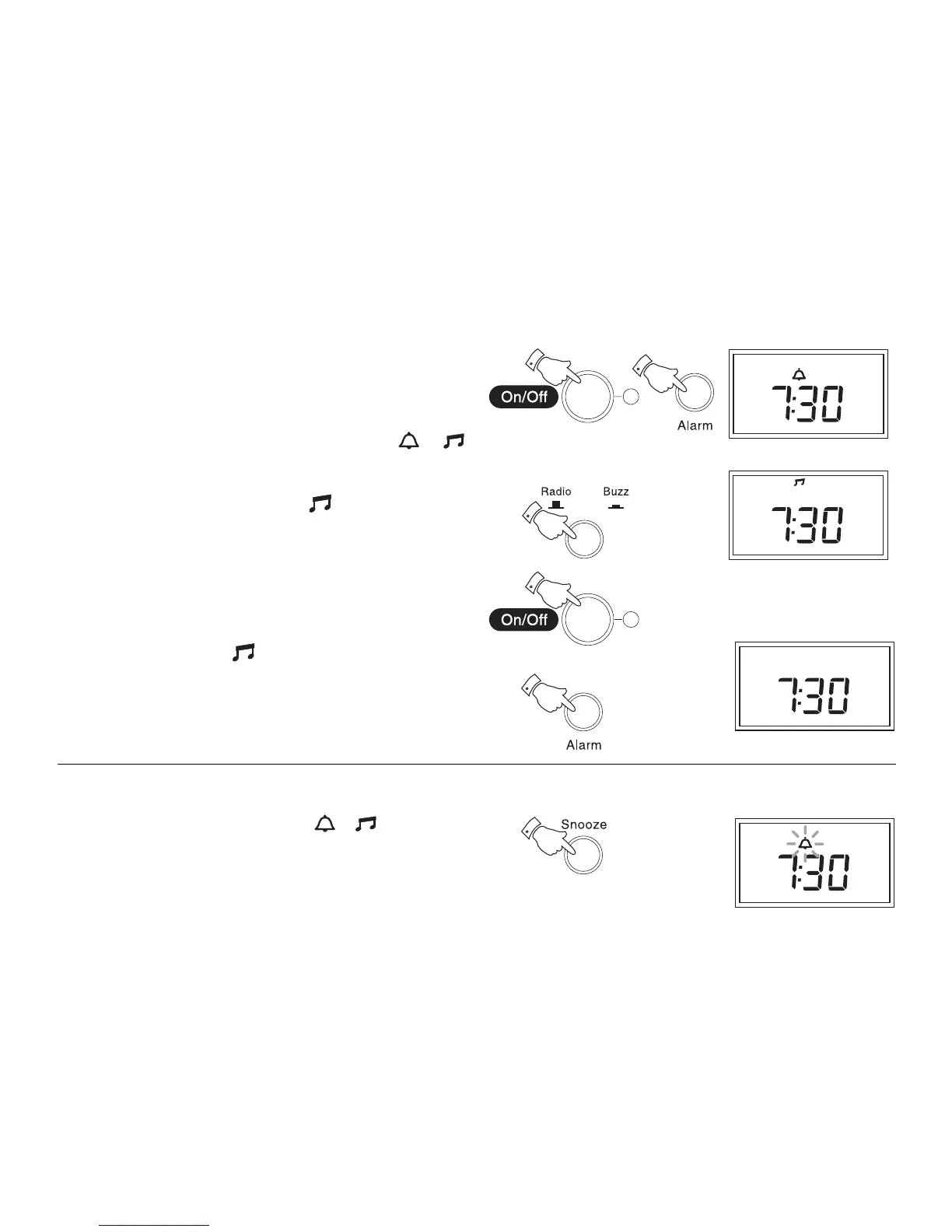
Wake to radio
1. Set the alarm time as previously described.
2. Switch off your radio using the On/Off button.
3. Press and release the Alarm button until either the or
symbol appears in the display.
4. Press the Radio/Buzz button until the symbol appears in the
display.
5. At the preselected time the radio will switch on. The radio will switch
off automatically after 90 minutes. The radio alarm may be switched
off for 24 hours by pressing the On/Off button.
6. To permanently cancel the radio alarm repeatedly press and release
the Alarm button until the symbol is removed from the display.
2
3
4
5
6
Snooze control
1. The radio or buzzer alarm can be silenced for 5 minutes by pressing
the Snooze button. The alarm symbols or will flash in the
display. This sequence can be repeated during the 90 minutes alarm
period.
1



 To Next Page