If you need any further advice, please call our Technical Helpline on :-
020 8758 0338 (Mon-Fri)
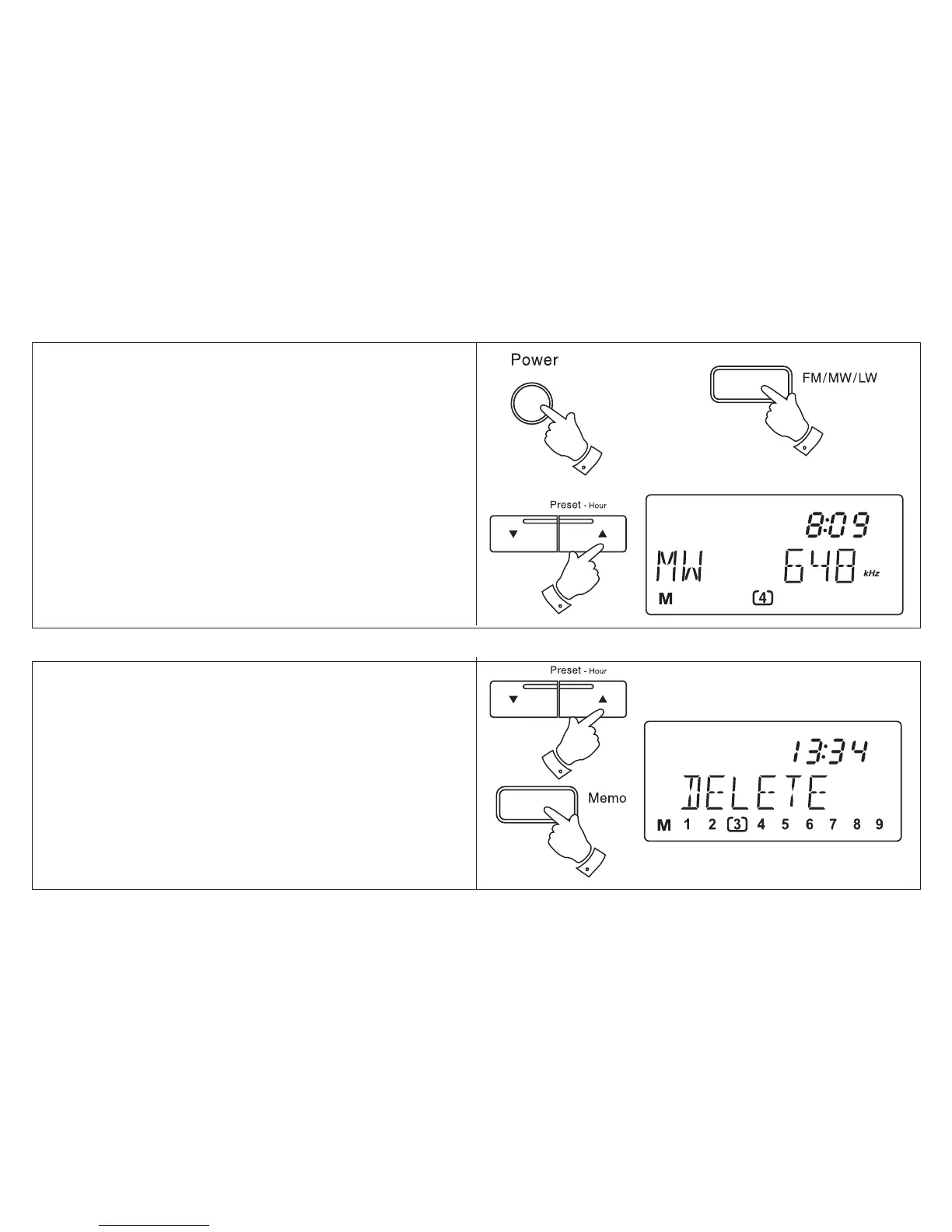
1. Switch on your radio using the Power button.
2. Select the desired waveband using the Bands
button.
3. Press either of the Preset buttons to cycle
through the available preset stations.
Recalling a preset station
Deleting a preset station
Your radio is equipped with a Memory scan
facility.
1. Select the preset location you wish to delete
using the Preset buttons.
2. Press and hold down the Memo button until
DELETE appears in the display.
3. Press the Memo button to confirm you wish
to delete the preset station
15



 To Next Page