EasyManua.ls Logo

Roberts R871 - User Manual

Roberts R871
12 pages
Print Icon
To Next Page IconTo Next Page
Loading...
ROBERTS
Sound for Generations
R871
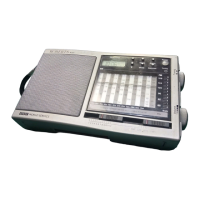
15 Band FM/SW1-12/MW/LW
Travel Alarm World Radio
Please read this manual before use
Question and Answer IconNeed help?

Do you have a question about the Roberts R871 and is the answer not in the manual?

Summary

Controls Overview

Clock Display (1)

Shows the current time, date, and various status indicators.

Forward Button (2)

Advances settings or skips tracks forward.

Reverse Button (3)

Reverses settings or rewinds tracks.

Sleep Button (4)

Activates and adjusts the sleep timer function.

Mode Button (5)

Cycles through different operating modes like clock, alarm, and dual time.

Alarm Button (6)

Activates and sets the alarm time and mode.

Summer Button (7)

Switches between standard and summer time settings.

Power Button (8)

Turns the radio on or off.

Tuning Indicator (9)

Lights up when a radio station is correctly tuned.

Tuning Control (10)

Rotary dial used to select radio stations.

Volume Control (11)

Rotary dial used to adjust the audio output level.

Waveband Selector (12)

Switches between FM, SW, MW, and LW broadcast bands.

Shortwave Selector (13)

Selects specific shortwave frequency bands (SW1 to SW12).

Battery Compartment (14)

Located on the rear, houses batteries for operation.

DC Input Socket (15)

Port for connecting an external AC power adapter.

Headphone Socket (16)

Allows connection of headphones or an earpiece.

Telescopic Aerial (17)

Extendable antenna for optimal FM and SW reception.

Snooze Button (18)

Temporarily silences the alarm for a short period.

Key Lock Switch (19)

Prevents accidental activation of controls.

Important Information

General Precautions

Advises against exposure to water, steam, sand, and excessive heat.

Key Lock Operation

Explains how to use the key lock to prevent unintended operation.

Batteries

Clock Operation

Details on inserting a single battery for clock functionality.

Radio Operation

Instructions for inserting multiple batteries for radio use.

Setting the Clock

Local Time and Date

Step-by-step guide to setting the local time and calendar date.

Dual Time and Date

Procedure for setting a secondary time zone and its associated date.

Time Modes

Switching Between Local and Dual Time

Instructions on how to toggle between local and dual time displays.

Switching Between Summer and Winter Time

How to activate or deactivate the summer time adjustment.

Alarm Functions

Setting the Alarm Time

Steps to set the desired time for the alarm to sound.

Setting the Alarm Mode

How to choose between radio or buzzer alarm sounds.

Snooze Control

Instructions for silencing the alarm temporarily.

Radio Operation

Operating the Radio

Guide on turning on, selecting bands, tuning, and switching off.

Sleep Timer

How to set the radio to turn off automatically after a set period.

Accessories

Headphones

Information regarding the use of headphones or earpieces.

Mains Adaptor

Details on using an external AC adapter for power.

Specifications

Power Requirements

Details on battery types and external power adapter specifications.

Aerial System

Information on the built-in and telescopic aerials.

Frequency Coverage

Lists the frequency ranges for LW, MW, FM, and SW bands.

Battery Life

Estimated battery duration for clock and radio functions.

Loudspeaker and Output

Specifications for the loudspeaker and audio output power.

Headphone Socket Size

Details the diameter of the headphone socket.

Guarantee

Guarantee Terms

Details the twelve-month warranty period and coverage.

Exclusions

Lists conditions not covered by the guarantee, like misuse or defaced serial numbers.

Claim Procedure

Instructions on how to make a claim under the guarantee.

Summary

Controls Overview

Clock Display (1)

Shows the current time, date, and various status indicators.

Forward Button (2)

Advances settings or skips tracks forward.

Reverse Button (3)

Reverses settings or rewinds tracks.

Sleep Button (4)

Activates and adjusts the sleep timer function.

Mode Button (5)

Cycles through different operating modes like clock, alarm, and dual time.

Alarm Button (6)

Activates and sets the alarm time and mode.

Summer Button (7)

Switches between standard and summer time settings.

Power Button (8)

Turns the radio on or off.

Tuning Indicator (9)

Lights up when a radio station is correctly tuned.

Tuning Control (10)

Rotary dial used to select radio stations.

Volume Control (11)

Rotary dial used to adjust the audio output level.

Waveband Selector (12)

Switches between FM, SW, MW, and LW broadcast bands.

Shortwave Selector (13)

Selects specific shortwave frequency bands (SW1 to SW12).

Battery Compartment (14)

Located on the rear, houses batteries for operation.

DC Input Socket (15)

Port for connecting an external AC power adapter.

Headphone Socket (16)

Allows connection of headphones or an earpiece.

Telescopic Aerial (17)

Extendable antenna for optimal FM and SW reception.

Snooze Button (18)

Temporarily silences the alarm for a short period.

Key Lock Switch (19)

Prevents accidental activation of controls.

Important Information

General Precautions

Advises against exposure to water, steam, sand, and excessive heat.

Key Lock Operation

Explains how to use the key lock to prevent unintended operation.

Batteries

Clock Operation

Details on inserting a single battery for clock functionality.

Radio Operation

Instructions for inserting multiple batteries for radio use.

Setting the Clock

Local Time and Date

Step-by-step guide to setting the local time and calendar date.

Dual Time and Date

Procedure for setting a secondary time zone and its associated date.

Time Modes

Switching Between Local and Dual Time

Instructions on how to toggle between local and dual time displays.

Switching Between Summer and Winter Time

How to activate or deactivate the summer time adjustment.

Alarm Functions

Setting the Alarm Time

Steps to set the desired time for the alarm to sound.

Setting the Alarm Mode

How to choose between radio or buzzer alarm sounds.

Snooze Control

Instructions for silencing the alarm temporarily.

Radio Operation

Operating the Radio

Guide on turning on, selecting bands, tuning, and switching off.

Sleep Timer

How to set the radio to turn off automatically after a set period.

Accessories

Headphones

Information regarding the use of headphones or earpieces.

Mains Adaptor

Details on using an external AC adapter for power.

Specifications

Power Requirements

Details on battery types and external power adapter specifications.

Aerial System

Information on the built-in and telescopic aerials.

Frequency Coverage

Lists the frequency ranges for LW, MW, FM, and SW bands.

Battery Life

Estimated battery duration for clock and radio functions.

Loudspeaker and Output

Specifications for the loudspeaker and audio output power.

Headphone Socket Size

Details the diameter of the headphone socket.

Guarantee

Guarantee Terms

Details the twelve-month warranty period and coverage.

Exclusions

Lists conditions not covered by the guarantee, like misuse or defaced serial numbers.

Claim Procedure

Instructions on how to make a claim under the guarantee.

Roberts R871 Specifications

General IconGeneral
DisplayLCD
Weight1.2 kg
FM Frequency Range87.5 - 108 MHz
AM Frequency Range522 - 1620 kHz
Headphone SocketYes
Headphone Jack3.5 mm
TypePortable
Power SourceMains/Battery
Battery TypeC

Related product manuals