If you need any further advice, please call our Technical Helpline on :-
020 8758 0338 (Mon-Fri)
6
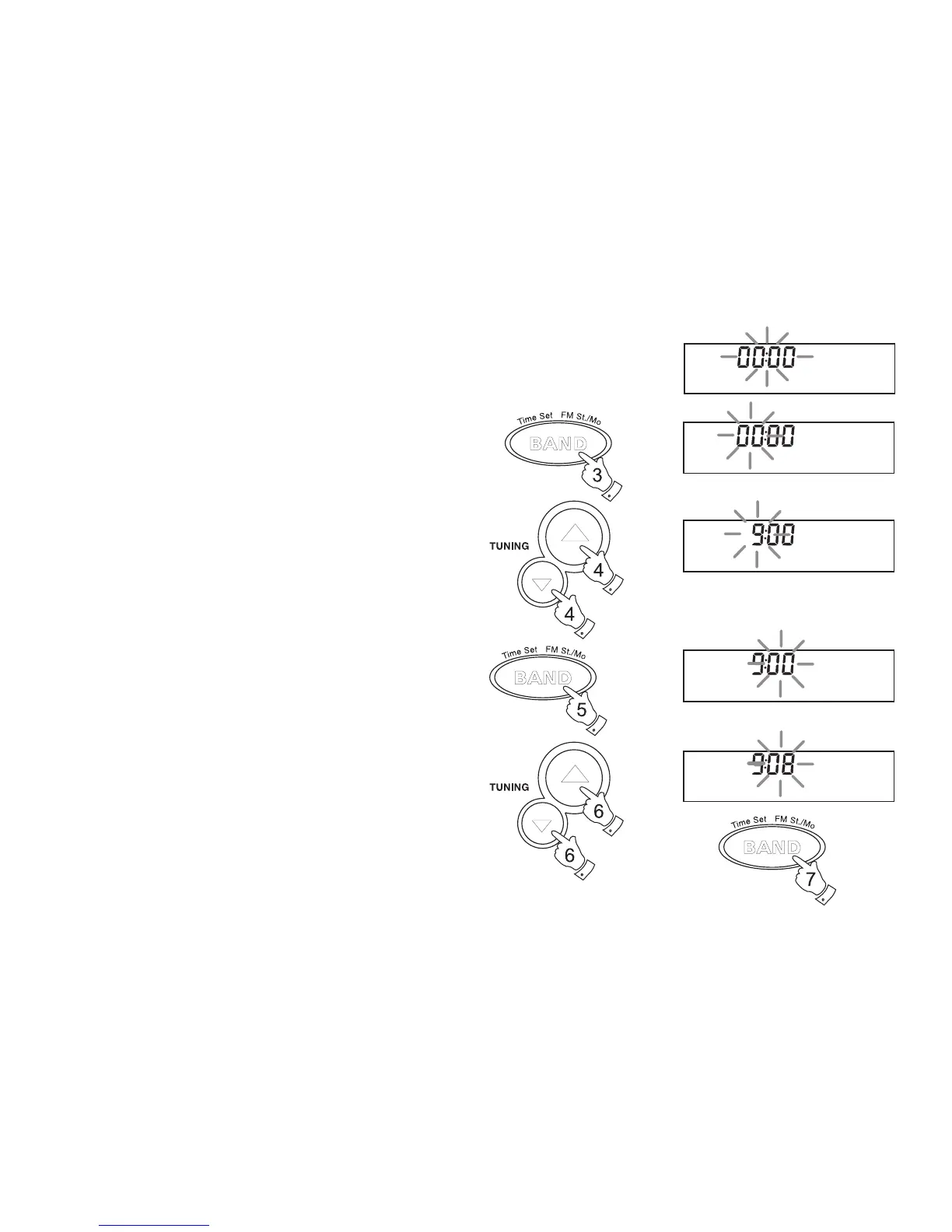
Setting the clock
1. The clock will start running when the batteries are installed or when
the radio is connected to the mains supply. The display will show
0:00 .
2. Ensure that the radio switched off.
3. Press and hold down Time set button until the hours digits begin
to flash in the display.
4. Press the Tuning up/down buttons to set the required hour. The
clock uses the 24 hour system e.g. 2:00pm is shown as 14:00
5. Press the Time set button, the minute digits will flash in the display.
6. Press the Tuning up/down buttons to set the required minute.
7. Press the Time set button to complete time setting.



 To Next Page