If you need any further advice, please call our Technical Helpline on :-
020 8758 0338 (Mon-Fri)
8
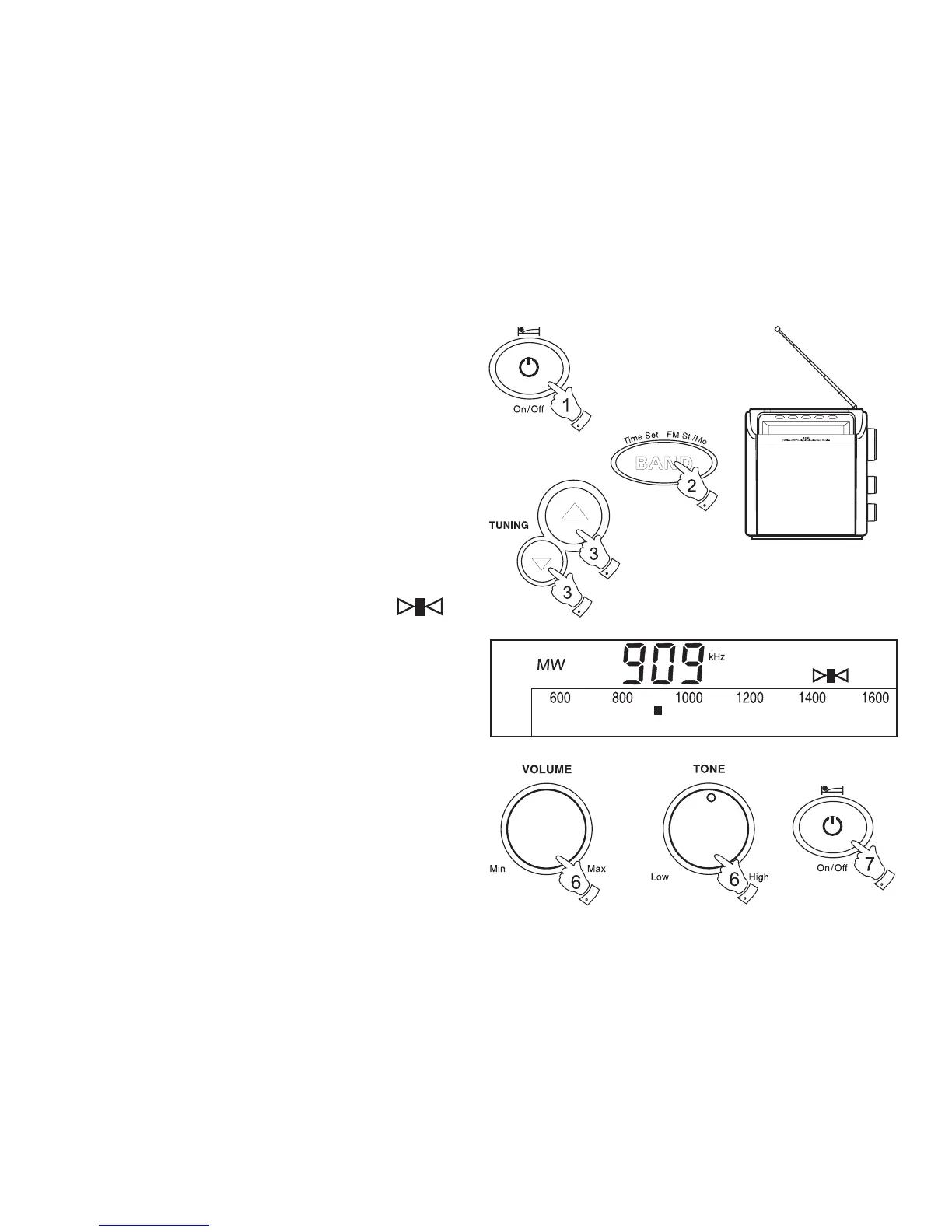
Manual tuning
1. Press the On/Off button to switch on your radio.
2. Select the required waveband by repeatedly pressing the Band
button. For the FM waveband fully extend the Telescopic aerial
angle and rotate, if necessary, to obtain best reception.
3. A single press on either the Tuning up or Tuning down buttons
will change the frequency in the following increments:-
FM 50kHz or 100kHz
MW 9kHz or 10 kHz
LW 9kHz
4. When a station is correctly tuned, the tuning indicator will
appear in the display.
5. When the waveband end is reached the radio will bleep and continue
tuning from the opposite waveband end.
6. Set the Volume and Tone controls to the desired settings.
7. To switch off your radio press the On/Off button.



 To Next Page