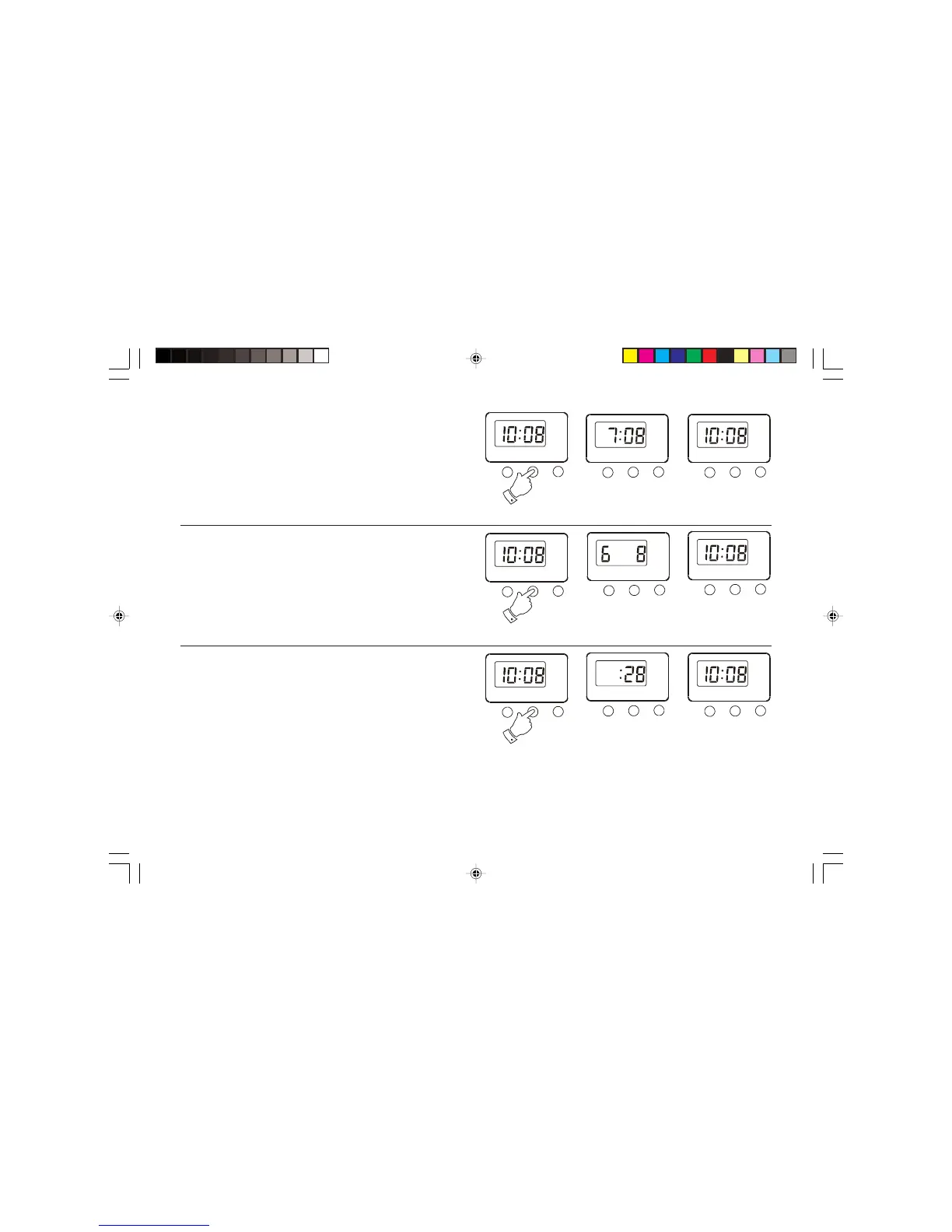
Displaying the alarm time
1. Whilst the current time is displayed press the mode button once.
The alarm time stored will be displayed; after approximately two
seconds the display will automatically switch back to current time.
Displaying the date
1. Whilst the current time is displayed press the Mode button twice.
The date will be displayed; after approximately two seconds the
display will automatically switch back to current time.
Displaying the seconds
1. Whilst the current time is displayed press the Mode button three
times. The seconds will be displayed.
2. Press the Mode button to switch back to current time.
Alarm off


 To Next Page