Introduction ......................................................................................... 2-9
Before you can use this product .......................................................... 3
About this instruction manual............................................................... 4
Controls and connections ................................................................. 5-6
Battery operation ................................................................................. 7
Navigation controls ........................................................................... 8-9
Text entry ............................................................................................. 9
Confi guration .................................................................................. 10-21
Plugging in and language selection .............................................. 10-11
Clock and time settings ..................................................................... 12
Connecting your radio to your computer network ......................... 13-17
Manual network confi guration....................................................... 18-20
Network remote control options ......................................................... 21
Internet Radio mode ....................................................................... 22-35
Internet Radio - the basics................................................................. 22
Selecting a radio station by location and genre ............................ 23-25
Searching for a radio station by name ............................................... 26
Selecting a new or popular station .................................................... 27
Selecting a podcast / BBC Listen Again ............................................ 28
Presetting stations ............................................................................. 29
Display modes .............................................................................. 30-31
Customising your radio ................................................................. 32-35
Music Player mode ......................................................................... 36-51
Use with Windows, Apple Mac, Linux, USB memory ........................ 36
Accessing your audio fi les via UPnP using Windows 7 & 8 .......... 37-38
Locating and playing media fi les using UPnP .............................. 39-43
Using USB memory devices ......................................................... 44-45
Playlists ........................................................................................ 46-48
Prune servers .................................................................................... 49
Wake On LAN .................................................................................... 49
Windows 'Play To' function ........................................................... 50-51
Spotify Connect .............................................................................. 52-56
Spotify - the basics ............................................................................ 52
Setting up a Spotify Connect account ............................................... 52
Playing music using Spotify Connect ................................................ 53
Controlling Spotify on your radio ....................................................... 54
Display modes ................................................................................... 55
Streaming data rate ........................................................................... 56
Friendly name .................................................................................... 56
Contents
DAB mode ....................................................................................... 57-65
Selecting a DAB radio station ............................................................ 58
Display modes ............................................................................. 59-60
Finding new DAB radio stations ........................................................ 61
Manual Tuning .................................................................................. 62
Dynamic Range Control settings ...................................................... 63
Station order setup ............................................................................ 64
Prune stations.................................................................................... 65
FM mode .......................................................................................... 66-71
Manual tuning .................................................................................... 67
Display modes ................................................................................... 68
Scan setting ....................................................................................... 69
Stereo / Mono switching .................................................................... 70
Presetting stations in DAB and FM modes ........................................ 71
Clock and Alarms .......................................................................... 72-80
Automatically updating the clock ....................................................... 72
Setting the clock format .................................................................... 73
Manually setting the clock ............................................................ 74-75
Setting the alarm clock ................................................................ 76-78
Snooze timer .................................................................................... 79
Disabling alarms ............................................................................... 79
Sleep timer ....................................................................................... 80
Display and Audio .......................................................................... 81-86
Equaliser....................................................................................... 81-82
Brightness and contrast controls .................................................. 83-84
Headphone socket and Line out socket ............................................ 85
Auxiliary input socket ......................................................................... 86
Inactive Standby timer ....................................................................... 86
Information ...................................................................................... 87-98
Factory reset...................................................................................... 87
Software update ................................................................................ 88
Network profi les ................................................................................. 89
Software version display.................................................................... 90
Audio FAQ ......................................................................................... 90
Friendly name .................................................................................... 91
Troubleshooting ............................................................................ 92-93
Audio codecs .................................................................................... 94
Cautions and Specifi cations ......................................................... 95-96
Guarantee.......................................................................................... 98



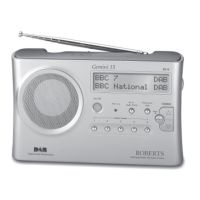
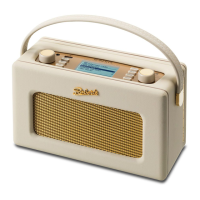

 To Next Page