Playback modes
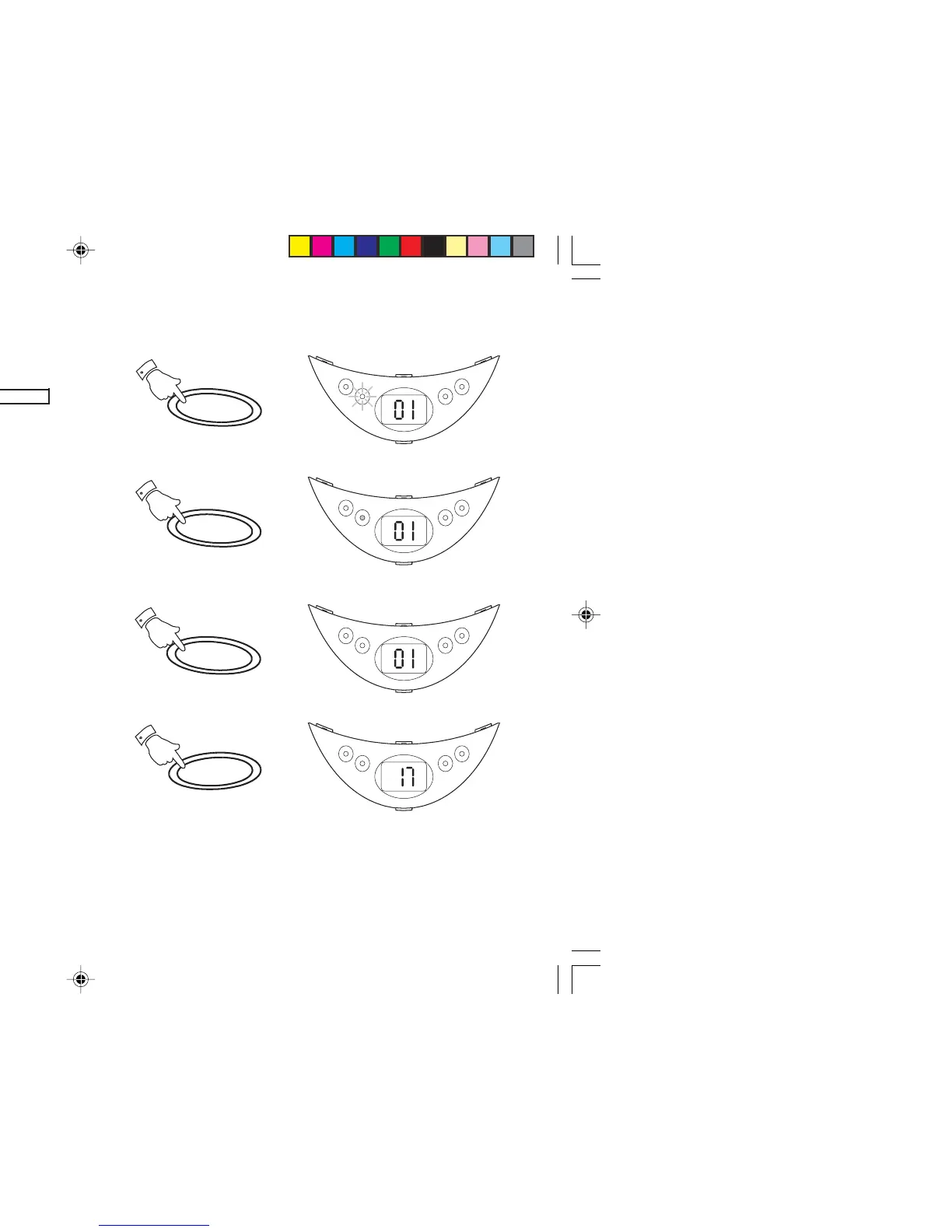
The Repeat button allows you to select different CD playback modes
in the following order:-
REPEAT1 REPEAT ALL NORMAL
These modes can only be selected or changed during CD playback.
1. Whilst the CD is playing press the Repeat button once to repeat
the current track. The Repeat indicator will flash.
2. Press the Repeat button again to repeat all tracks on the CD. The
Repeat indicator will light up.
3. Press the Repeat button again to return to normal play. The display
will return to showing current track number.
4. Pressing the Stop button will stop the CD and return the CD player
to normal play mode.
12
On
Repeat
Play/Pause
Prog.
On
Repeat
Play/Pause
Prog.
On
Repeat
Play/Pause
Prog.
On
Repeat
Play/Pause
Prog.
Repeat
1
Repeat
2
Repeat
3
Stop
4
CD9960.pmd 11/24/2003, 12:23 PM12



 To Next Page