EasyManua.ls Logo

Roberts Skylark CD9960 - Headphones

Roberts Skylark CD9960
24 pages
Print Icon
To Next Page IconTo Next Page
To Previous Page IconTo Previous Page
Loading...
If you need any further advice, please call our Technical Helpline on :-
020 8758 0338 (Mon-Fri)
Play
/Pause
Stop
Prog.
F.Skip
Repeat
B.Skip
DEEP
BA SS BOOST
On
Min
Off
Volume
Radio
CD
FM
LW
MW
Ta pe
Off
Off
On
Repeat
Play/Pause
Prog.
1
80
1
6
0
1
5
0
L
W
M
W
F
M
k
H
z
k
H
z
M
H
z
8
8
5
3
0
6
0
0
7
0
0
8
0
0
1
0
0
0
1
3
0
0
1
6
0
0
9
2
9
6
1
00
1
0
4
1
0
6
1
0
8
F
M
S
te
re
o
2
8
0
2
6
0
2
4
0
2
2
0
2
0
0
Open/ Close
CD 9960
16
16
Digital to Analogue Converter
19
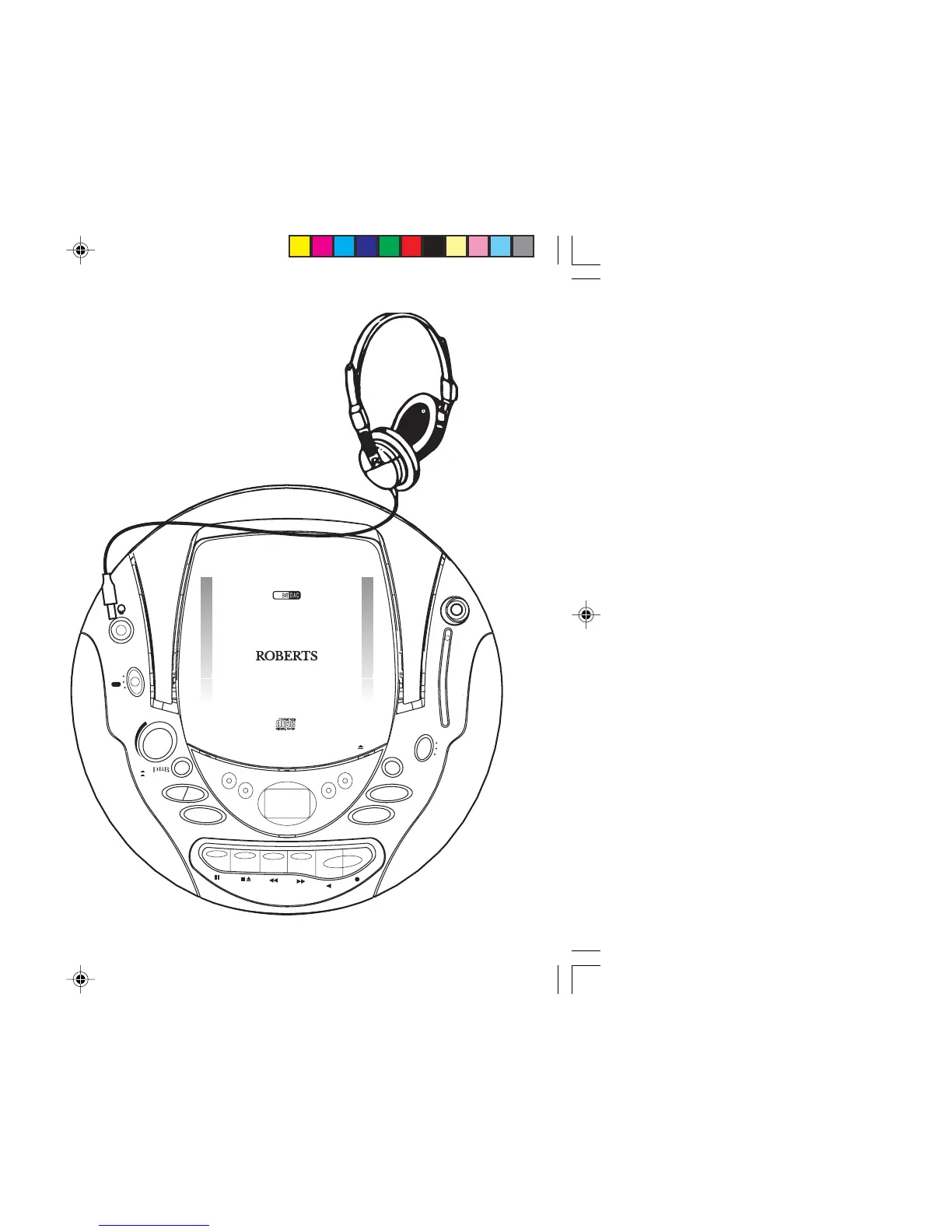
Headphone socket
A 3.5mm Headphone Socket located on the top left side of your CD
radio cassette is provided for use with either headphones or an
earpiece. Inserting a plug into the socket automatically mutes the internal
loudspeaker.
CD9960.pmd 11/24/2003, 12:24 PM19