If you need any further advice, please call our Technical Helpline on :-
020 8758 0338 (Mon-Fri)
Listening to the radio - Medium and Long wave
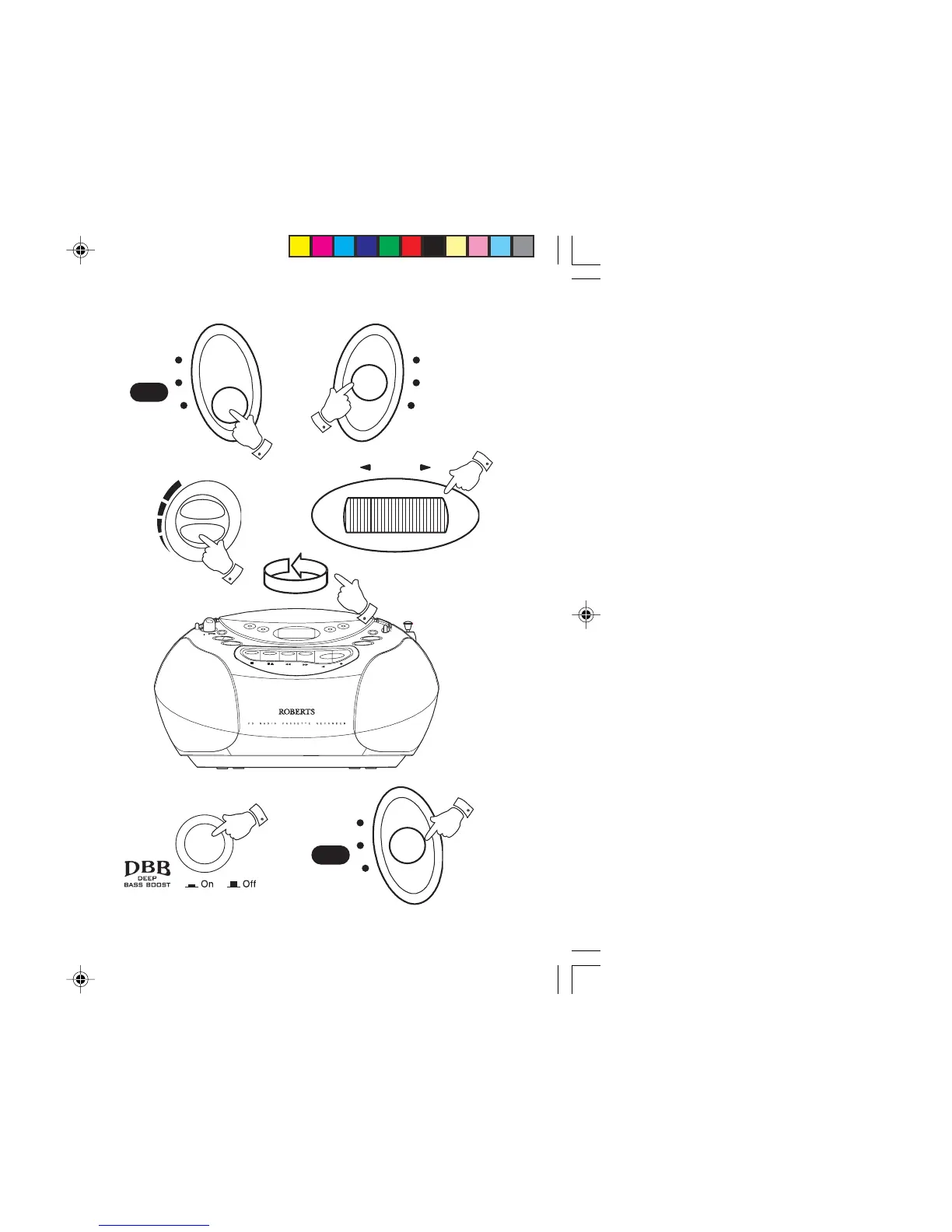
1. Set the Function switch to the 'Radio' position. The Power On LED
will light up.
2. Select 'MW' or 'LW' using the Waveband switch.
3. Adjust the Volume control until a hissing sound is heard.
4. Carefully tune to the desired station using the Tuning control.
5. Rotate your CD radio cassette for optimum reception.
6. The MW and LW bands are marked in kilohertz (kHz).
7. Adjust the Deep bass boost switch to the preferred position.
8. To switch off the radio set the Function switch to the 'Tape Off'
position.
9
Radio
CD
Tape
Off



 To Next Page