If you need any further advice, please call our Technical Helpline on 020 8758 0338 (Mon-Fri)
60
Display and Audio
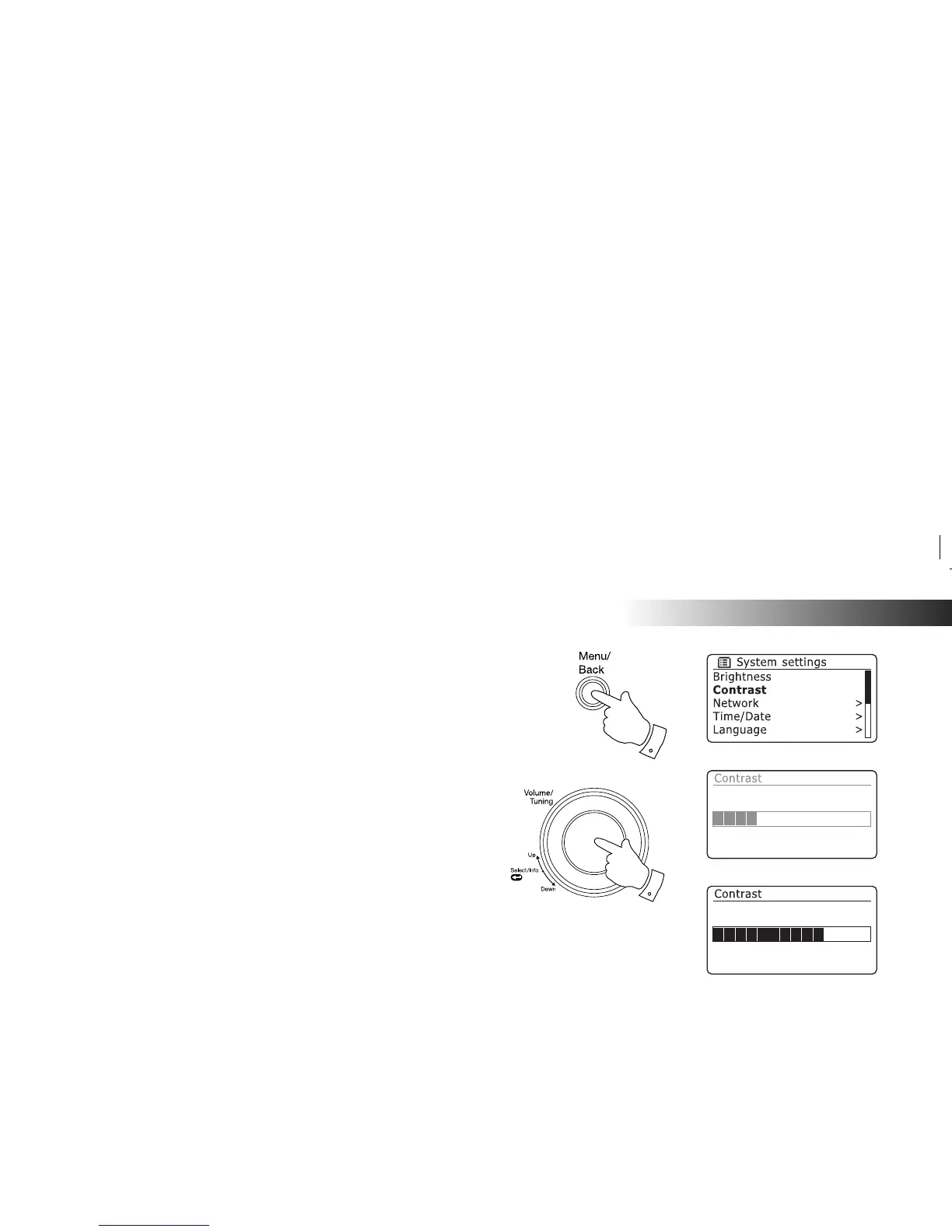
Contrast / viewing angle control
The contrast of the display can be adjusted. The adjustment also changes
the angle from which the display can best be seen.
1. Access the menu for the current mode by pressing the Menu button.
Rotate the Tuning/Select control until 'System settings' is highlighted
on the display. Press the control to enter the settings menu.
2. Rotate the Tuning/Select control until 'Contrast' is highlighted on the
display and press the control.
3. Rotate the Tuning/Select control to adjust the contrast and viewing
angle. The contrast level indication on the screen will change at the
same time. When you fi nd the setting that gives the best legibility for
the location in which the radio is used, press the control to save the
setting.
4. Press the Menu button to exit.
1,4
1-3















 To Next Page