If you need any further advice, please call our Technical Helpline on 020 8758 0338 (Mon-Fri)
62
Display and Audio
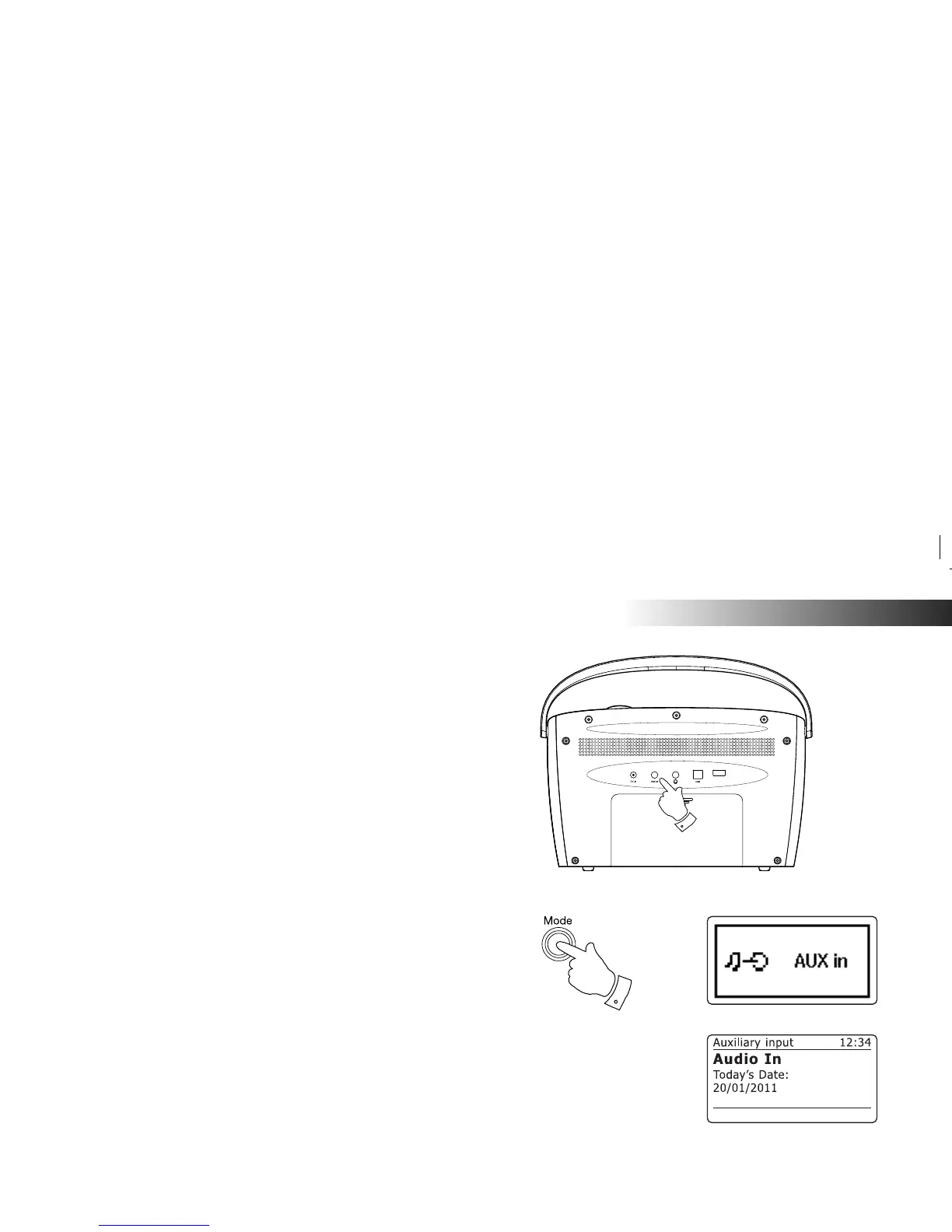
Auxiliary input socket
A 3.5mm stereo Auxiliary Input socket located on the back of your radio
is provided for connecting the audio signal from an external audio source
such as an iPod, MP3 or CD player.
1. Connect a stereo lead from the headphone output of your MP3 or CD
player to the Aux In socket located on the back of the radio. Typically
this lead will have a 3.5mm stereo plug at both ends.
2. Switch on your radio.
3. Press and release the Mode button until AUX in mode is shown on
the display.
4. Press 'Play' on the connected audio device. Use the volume control
on the connected device to adjust the volume from the radio.
Note: The radio's volume control will have no effect in Aux In mode.
5. After use, disconnect your player in order to listen to your radio
conventionally. Either switch off your radio or select an alternative
operating mode using the Mode button.
Note: If you do not disconnect your player when you switch to other
modes, you may fi nd that the audio volume from the radio is reduced,
or that you can hear the player and the radio at the same time.
1
3















 To Next Page