9
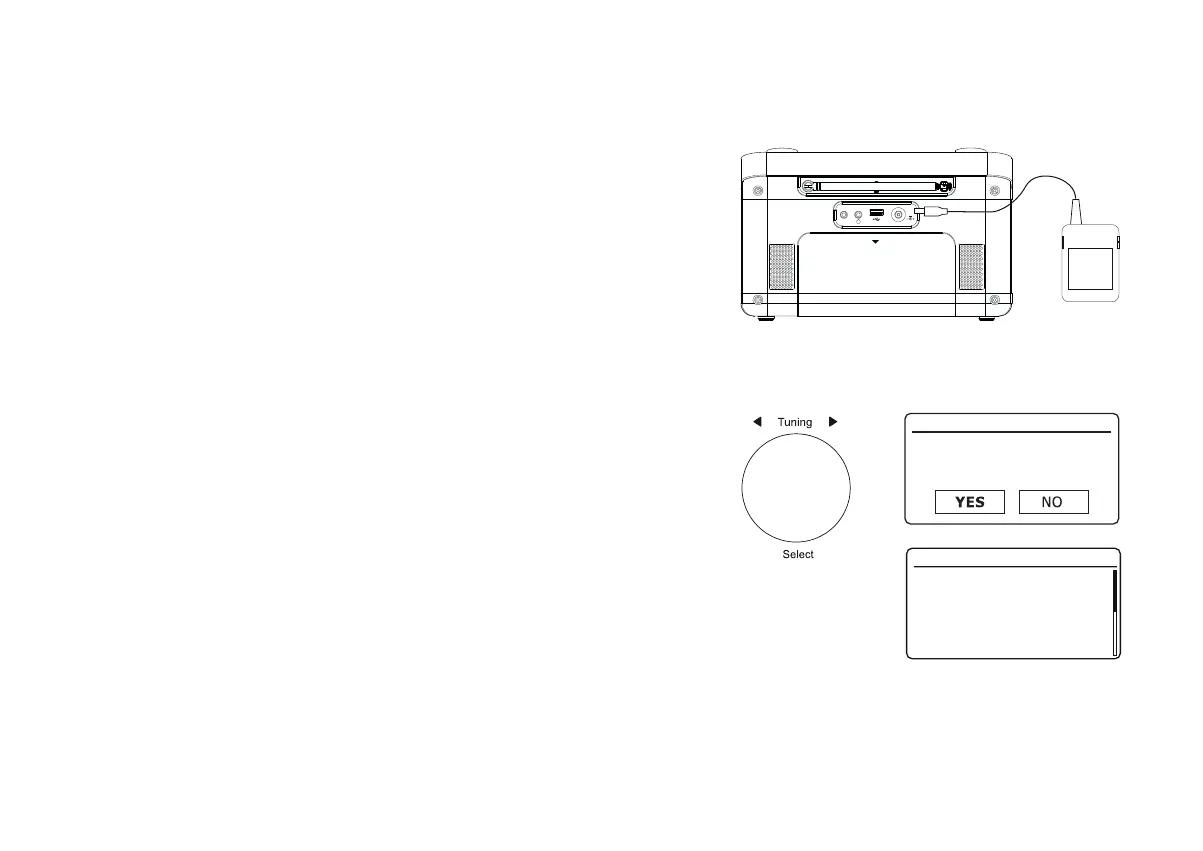
Aux In
DC IN
9V
1.5A
OPEN
&RQ¿JXUDWLRQ
3OXJJLQJLQDQGODQJXDJHVHOHFWLRQ
<RXUUDGLRPD\EHFRQ¿JXUHGXVLQJHLWKHUWKHGLVSOD\DQGEXWWRQVRQWKHUDGLRRUE\
using the UNDOK app.
3ODFH\RXUUDGLRRQDÀDWVXUIDFHDQGSOXJWKHFDEOHIURPWKHPDLQVDGDSWRULQWR
the DC input socket located at the rear of your radio (marked 'DC in') ensuring that
the plug is pushed fully into the socket.
2. Plug the mains adaptor into a wall socket and switch on the socket.
IMPORTANT: The mains adaptor is used as the means of connecting the radio to
the mains supply. The mains socket and any multi-way mains block used for the
radio must remain accessible during normal use. In order to disconnect the radio
from the mains, the mains adaptor should be removed from the mains socket outlet
completely.
3. When you apply power, the display on the radio will light up and show a start up
screen for a few seconds.
,IWKLVLVWKH¿UVWWLPHWKDW\RXXVH\RXUUDGLRRUDIWHUD)DFWRU\5HVHWWKHGLVSOD\
will show 'Setup wizard' and 'YES' will be highlighted on the screen.
1RWH,I\RXZLVKWRXVH81'2.WRVHWXS\RXUUDGLRSOHDVHVHHSDJH
4. If you would like to setup your radio using the radio's controls instead of the UNDOK
app then press Tuning to select 'YES' and to begin setting up your radio.
5. By default your radio will display all menus and messages in English. Rotate Tuning
to highlight the desired language. Press Tuning to enter the selection.
Continue on the next page.
Setup wizard
Start now?
English
Français
Deutsch
Italiano
Dansk
Nederlands
Language
*














 To Next Page