15
&RQQHFWLQJWR\RXUFRPSXWHUQHWZRUNFRQW
If you have followed the steps on the preceding pages successfully, your radio will have connected to your
router, and then made a connection to the Internet and set its clock. You can then listen to radio stations
via the internet and use the other features of your radio (see page 21 onwards).
&KDQJLQJWKHQHWZRUNFRQQHFWLRQ
In the sections above, you chose how your radio would be connected to your network, using a WiFi
FRQQHFWLRQ)URPWLPHWRWLPH\RXPD\¿QGWKDW\RXQHHGWRFRQQHFWWRGLIIHUHQWFRPSXWHUQHWZRUNV7KH
Network Settings menu allows you to change your radio’s network settings, scan for an alternative wireless
QHWZRUNRUWRPDQXDOO\FRQ¿JXUHWKHQHWZRUNSDUDPHWHUV
7KHVWHSVRXWOLQHGEHORZGHVFULEHKRZ\RXFDQGRWKLVVHHDOVRWKHVHFWLRQ1HWZRUNSUR¿OHVRQSDJH
If you have no need to do this, however, please skip to page 21.
&RQ¿JXULQJWKHUDGLRWRXVHDQDOWHUQDWLYH:L)LFRQQHFWLRQ
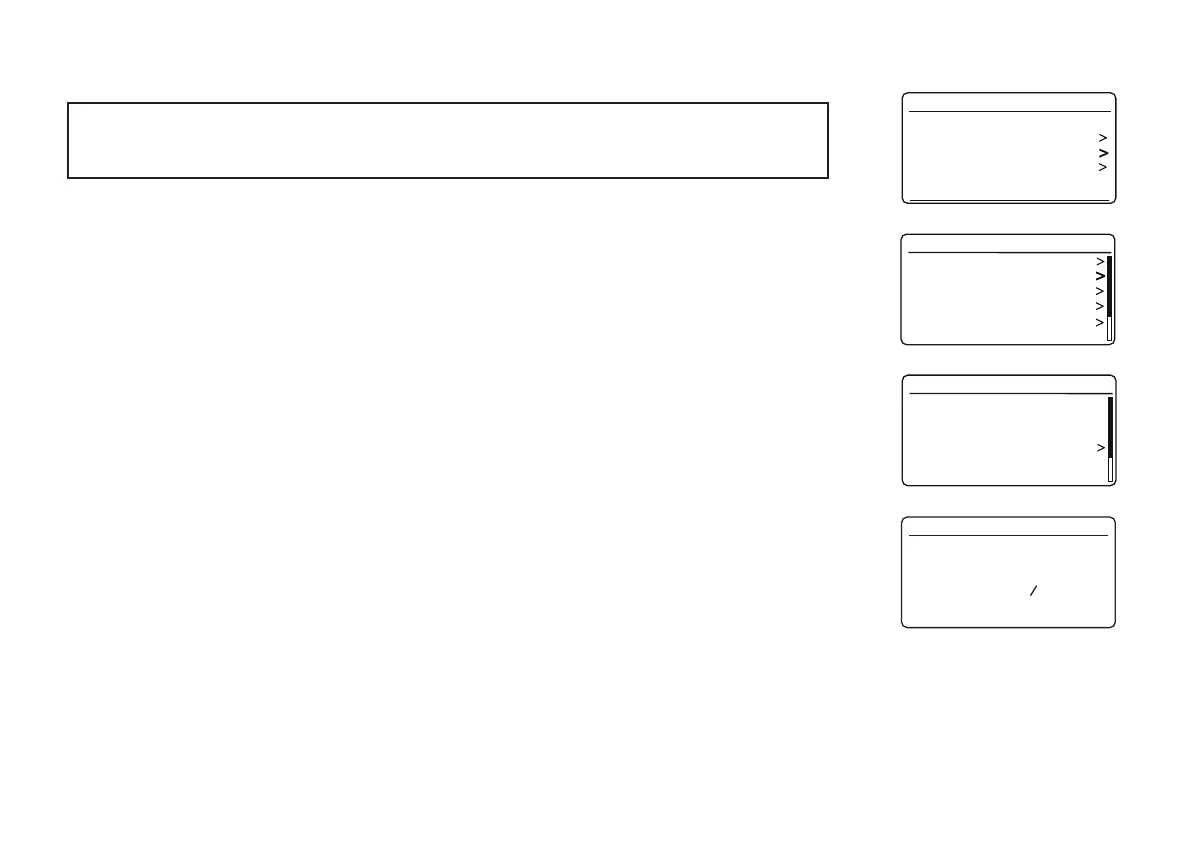
1. From the Network Settings menu select 'Network wizard'. This will present you with details of any WiFi
networks that are found. Scroll down the list using the Tuning/Select control to the desired network
name. Press the control to select this network.
The radio will then use its WiFi system to communicate with the network. Depending on the settings for
the new network you may need to enter an encryption key (see pages 13-14). By default the radio will
then acquire an IP address and other network settings from the network's router using DHCP (Dynamic
+RVW&RQ¿JXUDWLRQ3URWRFRO
Last listened
Station list
System settings
Main menu
Internet radio
Equaliser
Network
Time/Date
Brightness
Language
Factory Reset
System settings
Network wizard
PBC Wlan setup
View settings
Wlan region
Manual settings
NetRemote PIN Setup
Network settings
Network settings
Network wizard
Scanning...














 To Next Page