Music Player
36
8VLQJ86%PHPRU\GHYLFHV
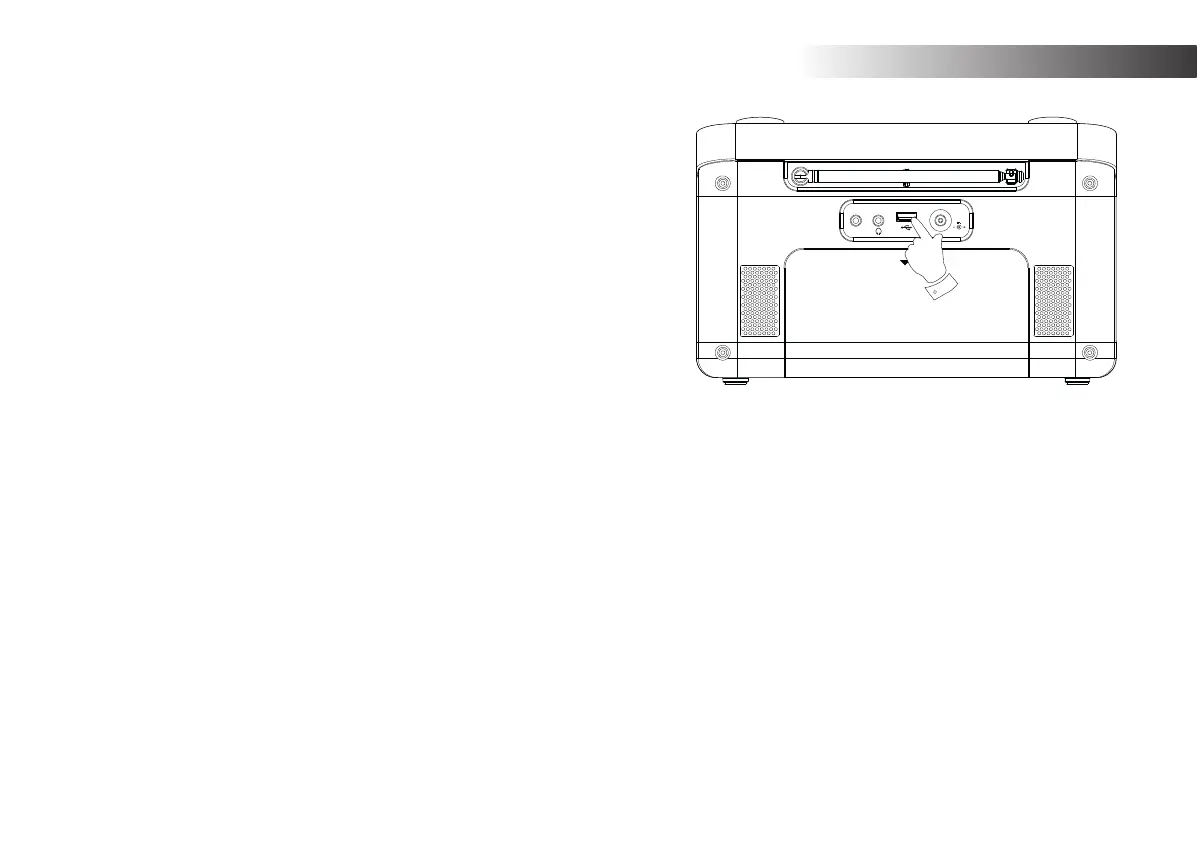
This section describes how to use your radio to access and playback your audio
¿OHVYLD86%PHPRU\GHYLFHV86%PHPRU\GHYLFHVSOXJLQWRWKHUHFWDQJXODU
slot on the back of the radio.
Important:<RXUUDGLRLVRQO\GHVLJQHGWRZRUNZLWK86%ÀDVKPHPRU\GHYLFHV
It is not intended to be connected to hard disk drives or any other type of USB
device.
The Stream 218 radio has been tested with a range of USB memory devices of
XSWR*%FDSDFLW\86%PHPRU\PXVWXVHWKH)$7RU)$7¿OLQJV\VWHP
in order to operate with your radio. Your radio is unable to play from media
formatted using the exFAT or NTFS formats.
It is possible to use SD, SDHC or SDXC cards for media storage and playback
when held in a suitable USB adaptor. However, due to the wide variation of such
adaptors, it is not possible to guarantee that all adaptor / card combinations
will work in the radio.
$XGLRIRUPDWVVXSSRUWHGDUH03:0$$$&)/$&$/$&DQG:$9
86% SOD\EDFN GRHV QRW VXSSRUW ¿OHV HQFRGHG XVLQJ :0$ /RVVOHVV :0$
9RLFH:0$3URIHVVLRQDOQRU¿OHVRIDQ\IRUPDWZKLFKKDYH'50SURWHFWLRQ
Recommendations:
8QOHVV\RXKDYHRQO\DIHZ¿OHVRQWKH86%PHPRU\GHYLFHGRQRWSODFH
DOO¿OHVLQWKHURRWIROGHU
7KHQXPEHURILWHPV¿OHVVXEIROGHUVLQDQ\IROGHUVKRXOGEHOHVVWKDQ
2000.
6HDUFKLQJDQGSOD\EDFNZLOOEHPRUHUHVSRQVLYHLIWKHQXPEHURI¿OHVLQ
any one folder is limited (we suggest not more than 250).
It is recommended that the USB memory is reformatted in your computer
EHIRUHDGGLQJ\RXUPXVLF¿OHV
The maximum depth of folder nesting permitted is 8 folder levels (but
playback is only from the currently selected level).
6KXIÀHDQG3OD\OLVWIXQFWLRQVDUHOLPLWHGWRWUDFNV
Aux In
DC IN
9V
1.5A
OPEN
Cautions:
In order to minimise the risk of damage to your radio or your
USB memory, please place the unit so that the memory device
cannot easily be knocked while it is inserted in the socket.
Remove the USB memory before carrying the unit or if not
using the USB feature for a prolonged period.
Place the unit in Standby mode before removing your USB
memory device.
7KH86%FRQQHFWLRQLVLQWHQGHGRQO\IRUÀDVKPHPRU\GHYLFHV
The use of hard disk storage media is not supported.
3OD\EDFN YLD 86% RI ¿OHV VWRUHG RQ 03 SOD\HUV LV QRW
guaranteed.














 To Next Page