81
Inserting and removing memory devices
1. To insert an SD card into your radio push the card label side upward
and gold contacts fi rst into the card slot on the front of your radio until
it clicks. To remove the card push the card in so that it clicks once
more. It will then be pushed out slightly allowing removal.
USB memory devices plug into the rectangular slot on the right hand
side, behind the front panel.
Note: that the USB socket is upside down compared to those commonly
found on PCs.
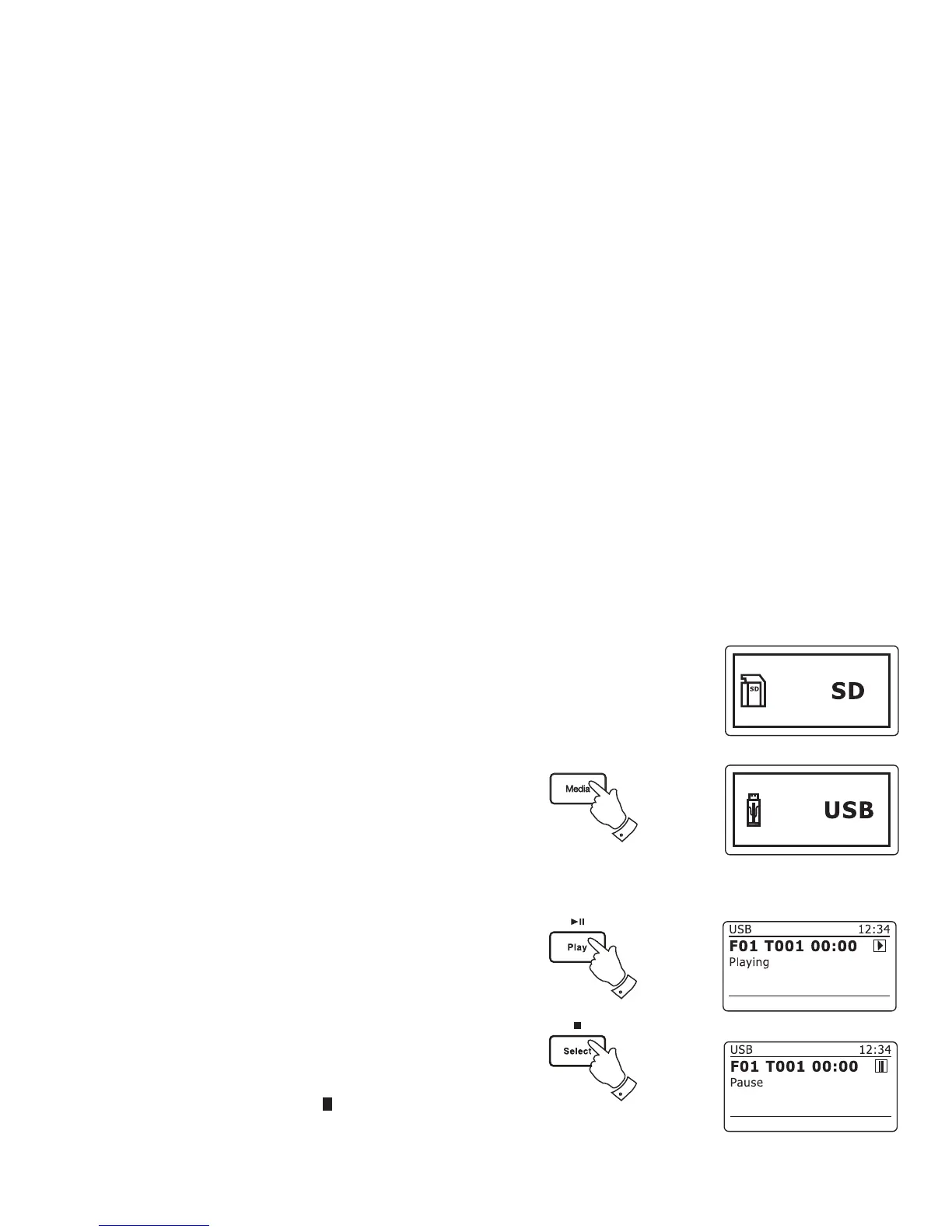
2. To select either SD card or USB mode press the Media button until
the desired mode is shown on the display.
Playing MP3 / WMA fi les - SD / USB
1. Press the Play / Pause button to start playing from the SD card / USB
memory device. The display will show the fi rst folder and fi le numbers
- "01" and "001".
2. To pause playing press the Play / Pause button. To resume playing
press the Play / Pause button again.
3. To stop play, press the Stop button. The total number of fi les and
folders on the media and the stop symbol ( ) will be displayed.
If you put the unit into standby mode without pressing the Stop button,
then the next time the unit is switched on it will return to the previously
played fi le.
2
3
1,2














 To Next Page