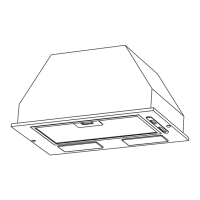
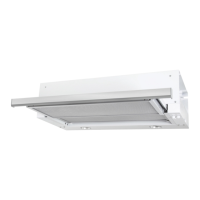
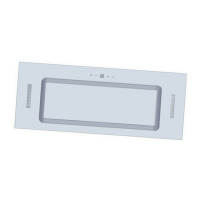
The Robinhood Power Pack with DC motor is a sophisticated kitchen appliance designed to efficiently exhaust cooking fumes and odors, ensuring a fresh and clean kitchen environment. This rangehood is available in various sizes (52cm, 75cm, and 90cm) and colors (black and white) to seamlessly integrate into diverse kitchen designs. It is intended for indoor use only and is designed to be installed within a cabinet, providing a discreet and integrated look.
Function Description
The primary function of the Robinhood Power Pack rangehood is to extract cooking vapors and odors from the kitchen. It operates with a DC motor, offering efficient performance. The appliance features multiple speed settings to accommodate different cooking needs, from light simmering to heavy frying. It also includes integrated lighting to illuminate the cooking surface, enhancing visibility and safety during food preparation. The rangehood is designed to discharge exhaust air externally, ensuring that fumes are completely removed from the room.
Usage Features
The rangehood is equipped with a user-friendly touch control panel and an innovative gesture sensor mode, offering flexible and convenient operation.
Touch Controls:
The control panel consists of five touch buttons: Timer, Decrease, Power, Increase, and Lamp.
- Power On/Off: After connecting to the mains supply, the rangehood enters standby mode with all indicator lights on. Pressing the Power button once activates the operation mode, illuminating function key indicators and displaying "0" on the LED. Pressing it again returns the hood to standby mode, turning off all function indicators. If no function operation occurs within 2 minutes in operation mode, the indicators and LED display will extinguish.
- Lamp Control: A single press of the Lamp button turns on the hood light and its backlight. Pressing it again turns the light off, and the button's indicator cycles to backlight mode.
- Speed Adjustment (Increase/Decrease): The hood offers three speed settings: low, medium, and high.
- Increase Button: Pressing the Increase button once starts the hood at low speed, displaying "1" on the LED, and its indicator light turns on. Subsequent presses increase the speed to medium ("2") and then high ("3"). If already at high speed, further presses maintain high speed.
- Decrease Button: Pressing the Decrease button reduces the speed by one level, displaying the current speed. If pressed when the hood is at low speed, it turns off the hood ("0" on LED), and the decrease button indicator changes to backlight status.
- Timer Function: The Timer button is active only when the hood is operating (not in standby or when only the lamp is on). It sets a 5-minute timer, which can be repeatedly set. Once the timer expires, the cooker hood and light will turn off. Adjusting speeds while the timer is set will cancel the timer function.
Gesture Sensor Mode:
This advanced feature allows for hands-free operation.
- Activating and Increasing Speed: Waving a hand from left to right once within 8 cm of the sensor activates the hood at low speed ("1" on LED), turns on the light, and illuminates the Power, Increase, Decrease, and Lamp indicators. Subsequent left-to-right waves increase the speed to medium ("2") and then high ("3"). If already at high speed, further left-to-right waves maintain high speed.
- Decreasing Speed and Standby: Waving a hand from right to left once reduces the speed by one level, with the LED displaying the current speed and all relevant indicators remaining on. Continuously reducing speed until "no speed" is reached will turn off the indicators, and all function operations will cease, putting the hood into standby mode.
- Sleeping Mode: If there is no operation of function keys for 10 minutes, the gesture sensor enters sleeping mode. To reactivate it, any key or a hand gesture is required. The gesture function is only operational when activated.
Installation Guidelines:
The cooker hood should be installed at a minimum distance of 60cm and a maximum of 75cm above the cooking surface for optimal performance. Specific cut-out dimensions are required in the cabinet for each model size (500x275mm for 52cm, 730x275mm for 75cm, and 880x275mm for 90cm), ensuring the cut-out is at least 35mm from the cabinet edge. The hood is then secured into the cabinet using screws. An expansion pipe, not included with the product, should be fixed to the outlet with a cable tie for external venting.
Maintenance Features
Regular cleaning and maintenance are crucial for the longevity and optimal performance of the Robinhood Power Pack rangehood.
General Cleaning:
- Safety First: Always disconnect the cooker hood from the mains power supply by switching it off at the wall socket and removing the plug before any maintenance or cleaning.
- External Surfaces: External surfaces are prone to scratches and abrasions. Clean them regularly, especially when the appliance is cold, using a cloth moistened with denatured alcohol or a non-abrasive liquid detergent. Avoid alkaline or acid substances like lemon juice or vinegar.
- Stainless Steel: Stainless steel surfaces should be cleaned weekly to maintain their appearance and lifespan. Use a clean, soft cloth and a specialized stainless steel cleaning fluid. Always wipe along the grain of the stainless steel to prevent crisscross scratching patterns.
- Inlay Control Panel: Clean the inlay control panel with warm soapy water and a clean, well-wrung cloth. Remove any excess moisture with a dry soft cloth.
- Detergent Use: Use neutral detergents. Avoid harsh cleaning chemicals, strong household detergents, or abrasive products, as these can damage the appliance's appearance, remove artwork printing from the control panel, and void the manufacturer's warranty.
Grease Mesh Filters:
- Cleaning: The mesh filters can be cleaned by hand. Soak them in water with a mild detergent for about 3 minutes, then gently brush with a soft brush. Avoid applying too much pressure to prevent damage. Allow them to dry naturally, away from direct sunlight. Filters should be washed separately from crockery and kitchen utensils, and rinse aid should not be used.
- Installation: To install filters, angle them into the slots at the back of the hood, push the button on the filter handle, release the handle once the filter fits into a resting position, and repeat for all filters.
Bulb Replacement:
- Safety Precautions: The bulb must be replaced by the manufacturer, its service agent, or similarly qualified persons. Always switch off the electricity supply and unplug the appliance before handling bulbs. Ensure bulbs have completely cooled down before direct contact. When handling bulbs, use a cloth or gloves to prevent perspiration from reducing bulb life.
- Procedure:
- Switch off and unplug the appliance.
- Unscrew the four screws on the outer glass frame panel with a screwdriver.
- Pull out the light wire and switch wire, then remove the outer glass frame panel.
- Unscrew the screws on the light bracket and replace the lights.
- Apply the reverse procedure to reinstall the light back.
The Robinhood Power Pack rangehood is designed for ease of use and maintenance, providing a reliable and effective solution for kitchen ventilation.

 Need help?
 General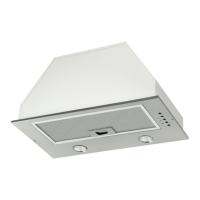



 To Next Page