7.At the end of the cleaning cycle, wind the floating cable in a circle by hand and place it on the Pool Cleaner,
and then store the Pool Cleaner in a dry, well-ventilated area. If you have a caddy, please put the Pool Cleaner
floating cable on the caddy.
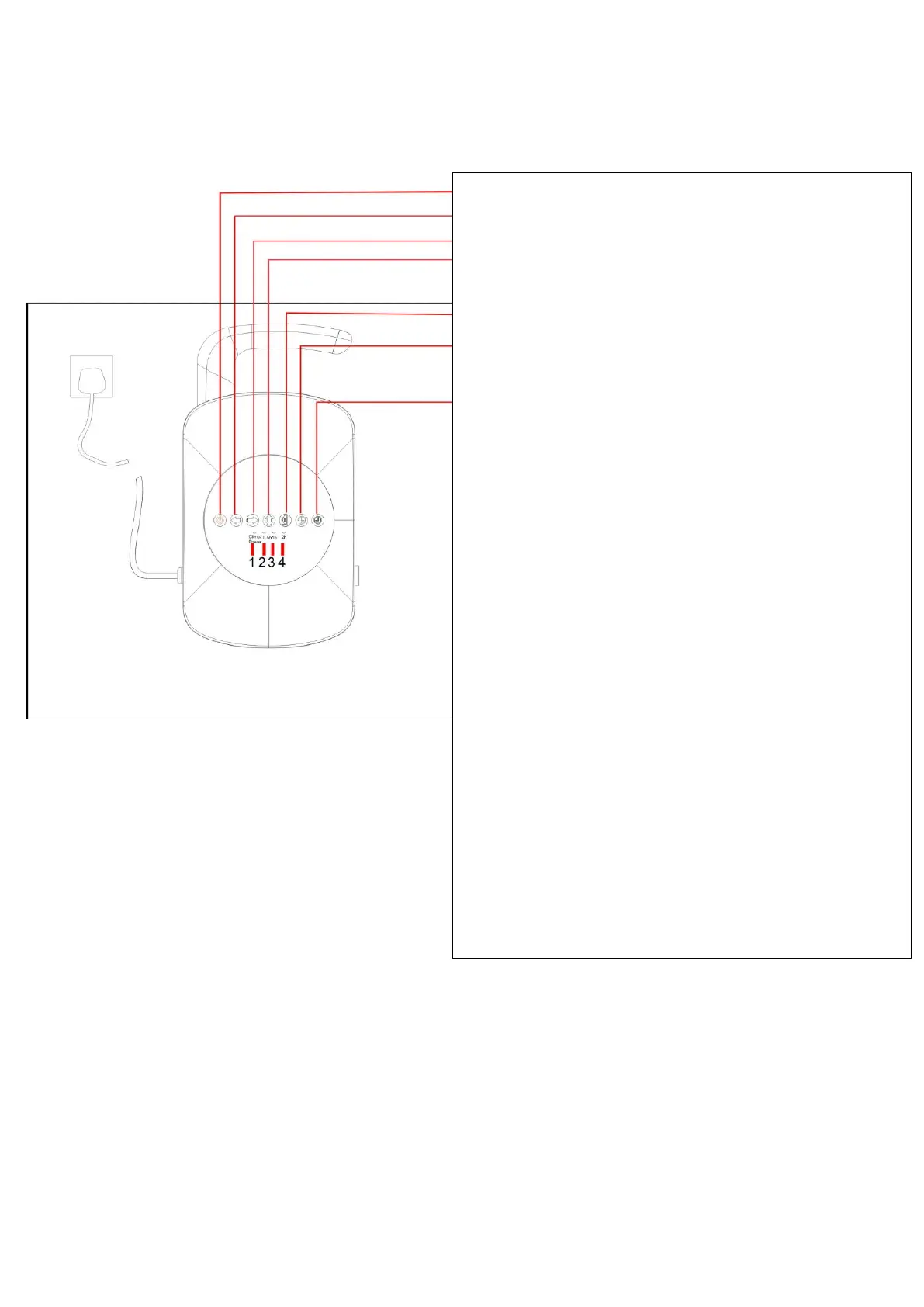
Power Button
Hold Button until robot turns in the direction required.
Short press to make the robot reverse the direction of travel.
Short press to make the robot reverse the direction of travel
Short press to commence climbing Model
Short press until prefered Delayed
Start time is selected 4,8,12hours(not available in Australia)
Short press to select the time cycle.
Lights-Control Box with Delayed start Function (Not available in
Australia).
Light1: standly mode and No Climb mode is RED. Climb mode
Green.
When press to select the time cycle:
Light 2: For the working time 0.5h.
Light 3: For the working time 1h.
Light 4: For the working time 2h.
When press the delayed start time:
Light 2: For delayed 4hrs.
Light 3: For delayed 8hrs.
Light 4: For delayed 12hrs.
Lights-Control Box without Delayed Start Function
Light 1: Standly mode is Red, No climb mode is Blue,
Climb mode Green.
When press to select the time cycle:
Light 2: For the working time 0.5h.
Light 3:For the working time 1h.
Light 4: For the working time 2h.



 To Next Page