3
In the Box
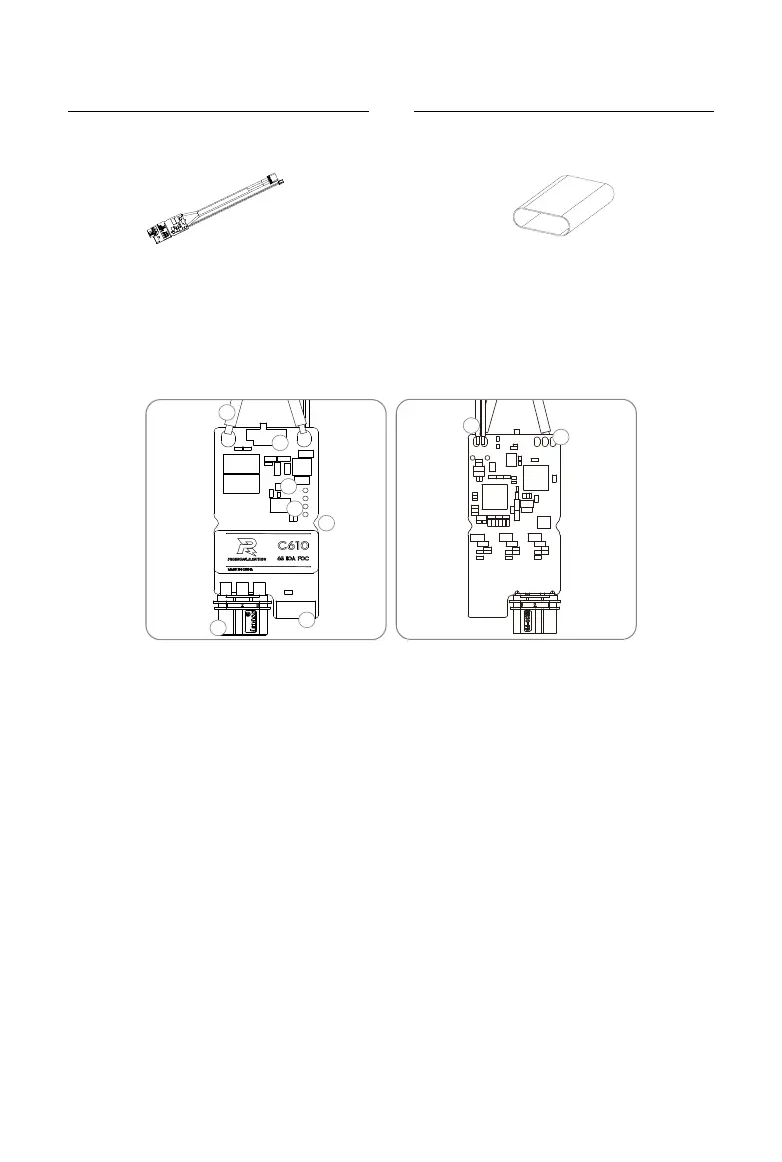
C610 Speed Controller × 1 Heat-shrink Tubing × 1
Overview
C610 Brushless DC Motor Speed Controller
1. Power Cable
Connects to a 24 V power supply to provide power for the speed controller.
2. 3-Phase Power Cable
Connects to the 3-phase cable of the M2006 motor. Make sure the cables are securely
connected.
3. 4-Pin Port
Connects to the 4-pin cable of the M2006 motor to acquire position information of the rotor.
4. Securing Grooves
There are two securing grooves on either side of the speed controller. Use M2 screws to
secure the speed controller.
5. Set Button
Congures the speed controller. Refer to Using the Set Button section for more information.
6. Status LED
Indicates the speed controller’s operating status. Refer to the Status LED Description section
for more information.
1
2
3
4
5
6
8
9
7


 To Next Page