018
The LED status indicator light on
the dock is red, unusual noise
when emptying, or emptying is
unsatisfactory.
• The main brush or main brush cover is not properly installed. Check and correct installation.
• The dustbin, filter, air duct, suction inlet or air inlets are blocked. Clean to remove blockages.
• The dustbin or filter are not in place. Check and correct installation.
• The fan is not operating properly. Potentially due to overheating protection resulting from
frequent starting and stopping. Unplug the power cable and try again after 30 minutes.
• Voltage error. Check that local voltage meets the requirements listed on the dock.
Auto-emptying does not start when
the robot returns to the dock.
• Auto-emptying is disabled. Check in-app settings.
• Dock dustbin not installed. Check and install.
• Auto-emptying will not be triggered if the robot is moved to the dock manually. Allow the
robot to return to the dock automatically or start emptying manually.
• The robot will not auto-empty after returning to dock in Do Not Disturb (DND) mode. Adjust
cleaning or DND duration, or start emptying manually.
• The battery level is lower than 10%. Charge the robot until the battery reaches 10%.
The robot cannot return to the
dock or cannot be charged.
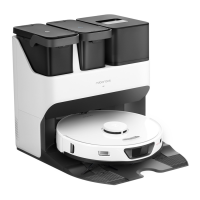
• The dock is surrounded by obstacles. Clear any obstacles around it or move it to an open
area as recommended in the User Manual.
• The dock is not connected to a power supply. Make sure the power cable is securely plugged
in and power is on.
• Poor contact. Clean base and dock charging contacts.
Common Issues
Problem Solution





 To Next Page