Routine Maintenance
Sensors
*
Clean monthly
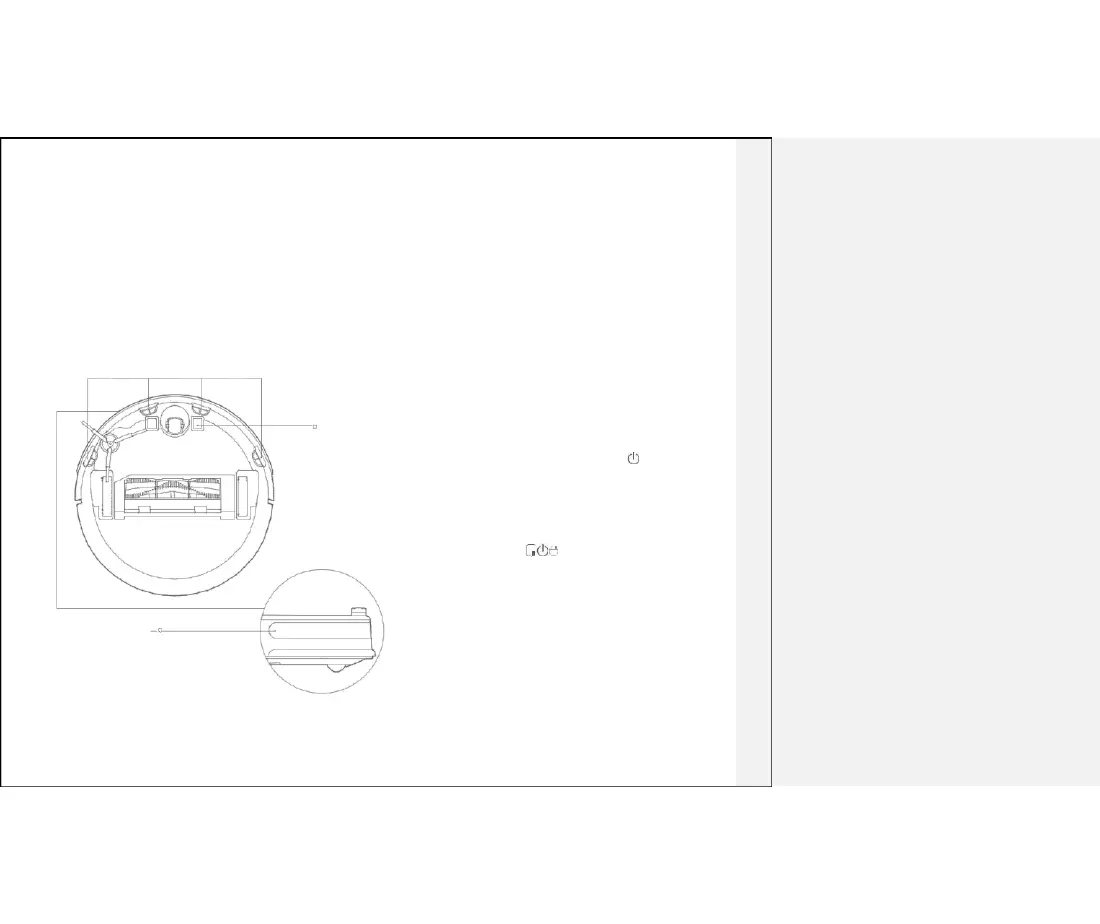
Use soft dry cloth to wipe clean each sensor:
1. Four cliff sensors on the bottom
2. Infra-red deceleration sensor in the front
3. Charging contacts on the bottom
Cliff Sensor
Charging dock
*
Clean monthly
Use soft dry cloth to clean the charging contacts on the charging dock
Firmware update
You can use the Mi Home app to for firmware updates. Connect
the main unit to the dock charger and ensure that battery capacity
is above 20% before updating. The power indicator will blink white
rapidly during a firmware update
Charging contact System reset
If pressing the buttons has no response or the main unit cannot be
shut down, reset the system by pressing the key. The main unit
will restart automatically after reset
Restoring to Factory Defaults
If the product does not function properly after resetting,
press and hold the buttons simultaneously, until you
hear “Start restoring the initial version." The product then
be restored to factory defaults
IR decelerate sensor
13



 To Next Page