4.About the Battery
APP Download
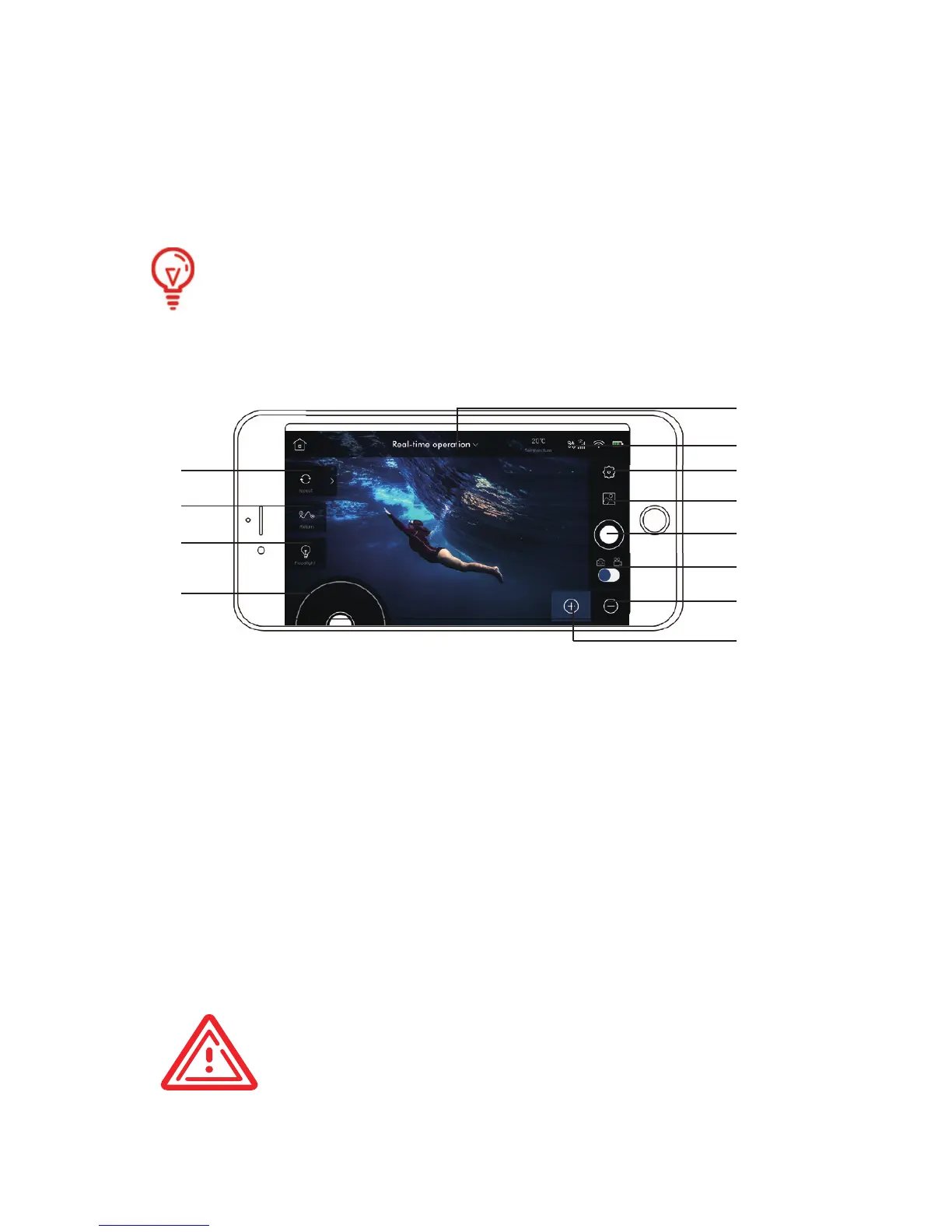
About the Main Screen
Before use the product, please download and install the RoboSea
App by downloading it from APP Store/ Google Play.
The running time of BIKI can last 90-120mins thanks to its
3180mAh high storage battery. DO NOT replace the battery.
[1] Memory Path
[2] Return
[3] Floodlight
[4] Joystick
[5] Settings
[6] Album
[7] Camera/Film
[8] Camera/Film Switch
[9] Slowdown
[10] Speed Up
Real-Time Control/Route
Customizing Switch
[11]
[12] satellite(s)
CAUTION:
The battery lifevaries by the settings and the
operation.
RoboSea APP support Android 4.3 and upwards/ iOS 9.0
and upwards.
[1]
[2]
[3]
[4]
[5]
[6]
[7]
[8]
[9]
[10]
[11]
[12]
11
1. Getting BIKI move by clicking “ ”;
2. “ ” is used for turning left , “ ” is used for turning right. To
make it go straight again by releasing “ ” or “ ” button;
3. There are five speed options, the speed changes each time“
or“ ”is pressed;
4. Long press “Go Up” or “Go Down” key BIKI will keep moving
accordingly. Releasing the key it will move along at depth where it
is now;
5. Please carry out “Go Up” or “Go Down” order when BIKI is
moving straight;
6. Long press “ ” to “turn on/off/adjust” the spotlight. There are
low and high options for spotlight.


 To Next Page