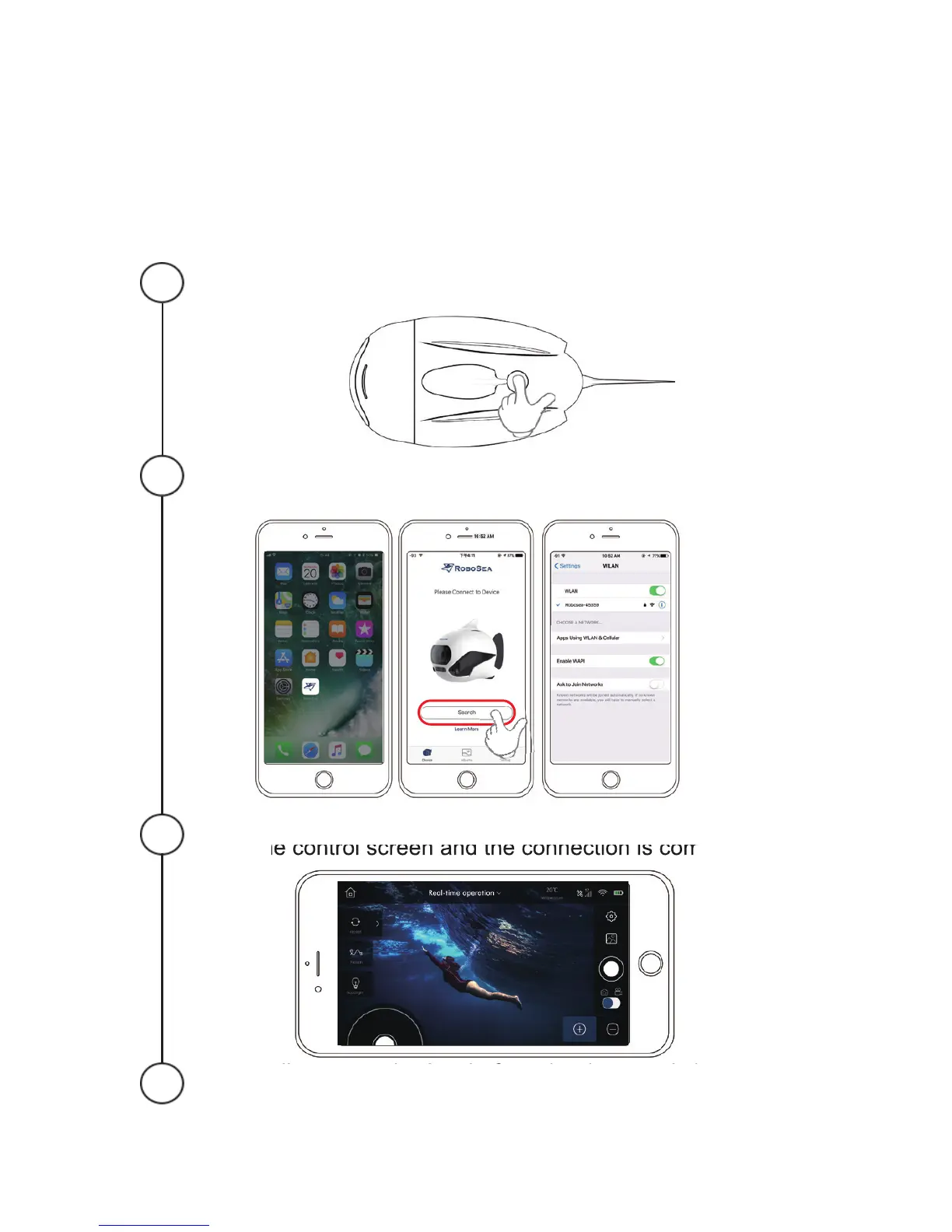
5.How to Connect
BIKI to APP
Keep holding the power key until blue light turns on, and then
wait for the WIFI to start up.
Use mobile device to search for BIKI’s Wi-Fi signal and get
connected to it. The initial password is 1234567890.
Click “OK” once the password is entered, it will jump to the
real-time control screen and the connection is completed.
Please disconnect the App before shutdown; quit the App and
long-press the power key until the pilot light turns off.
4
3
2
1
12


 To Next Page