DYNAMIXEL
AX-12
2-3. Dynamixel Wiring
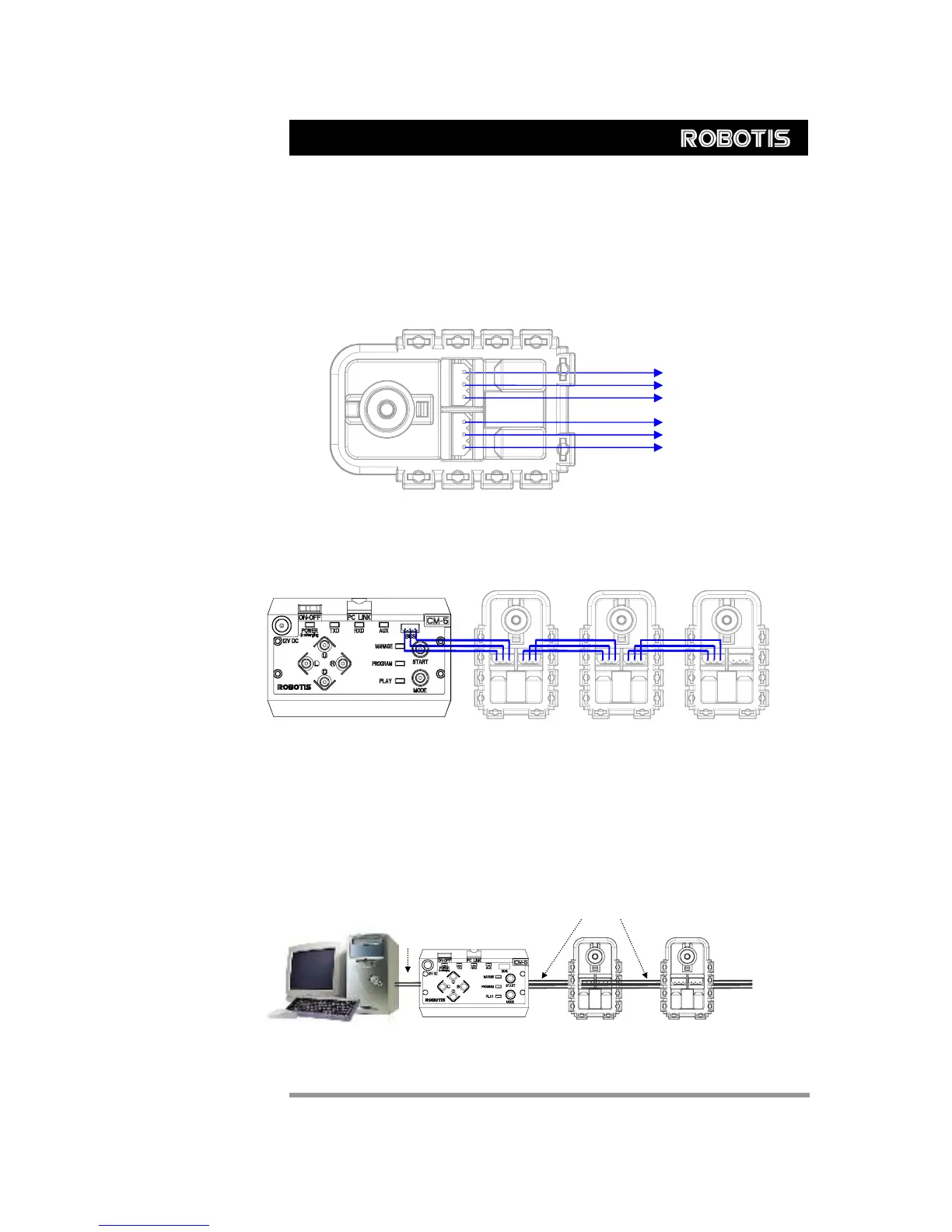
Pin Assignment The connector pin assignments are as the following. The two connectors on the
Dynamixel are connected pin to pin, thus the AX-12 can be operated with only one
connector attached.
PIN2: VDD
PIN1: GND
PIN3: Data
PIN1: GND
PIN2: VDD
PIN3: Data
Wiring Connect the AX-2 actuators pin to pin as shown below. Many AX-12 actuators can be
controlled with a single bus in this manner.
Control Box “CM-5”
Main Controller To operate the Dynamixel actuators, the main controller must support TTL level half duplex
UART. A proprietary controller can be used, but the use of the Dynamixel controller CM-5
is recommended.
PC LINK A PC can be used to control the Dynamixel via the CM-5 controller.
PC Dynamixels
CM-5
RS232
Level
TTL
Level
6



 To Next Page