Central Heating Programming (I)
46
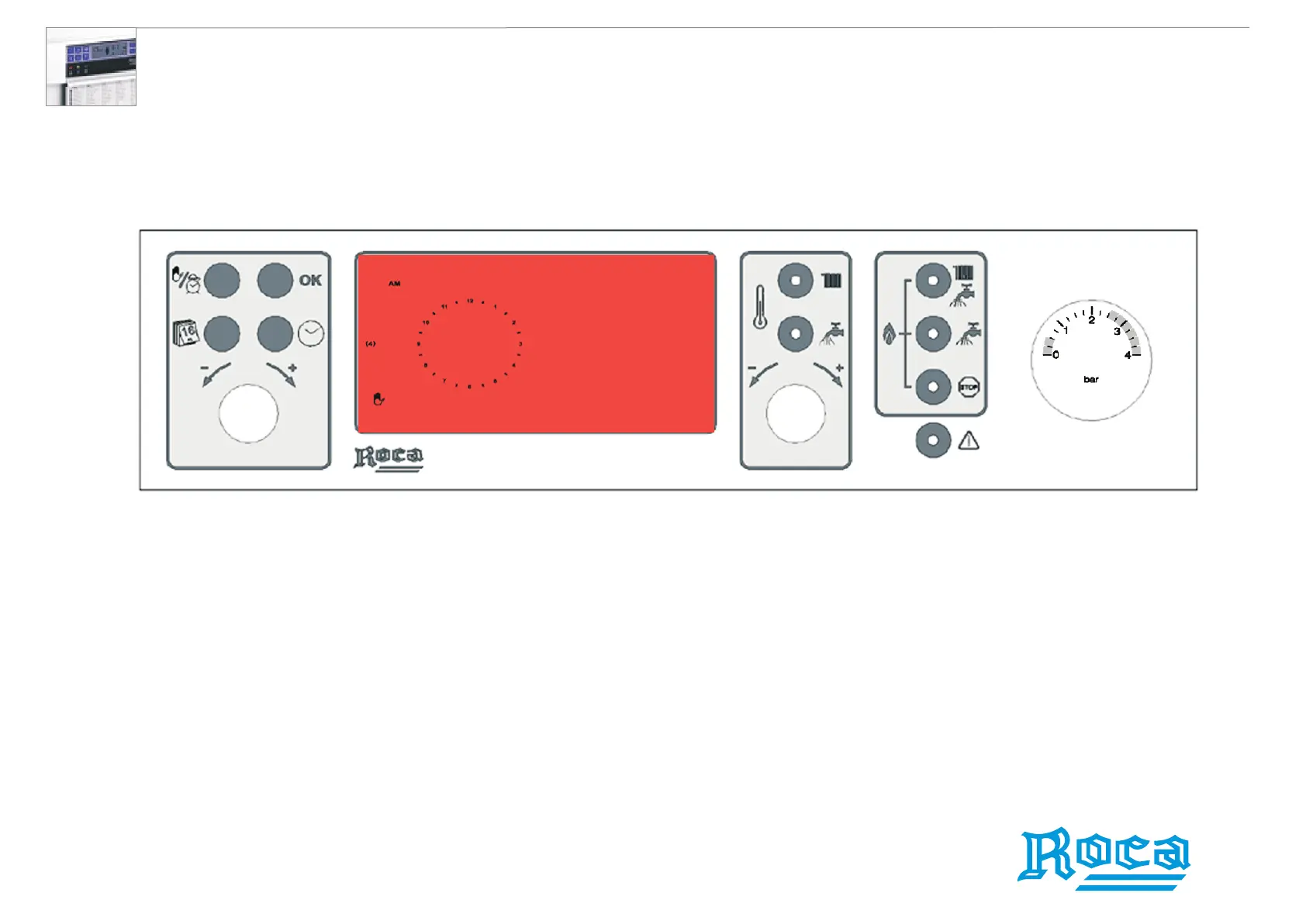
1. Press the Set Day button. The clock disappears from the LCD display and
the 24-hour time clock is then displayed.
2. With the Set Day/Time Knob, set the desired day.
3. The arrow beside the number should indicate the desired day.
4. Press the Validate Program button to store the day.
1
2
3
4
5
6
7
(4)
(3)
(2)
(1)
Setting the first scheduled day
Laura 20/20F wall-hung waterheaters




 To Next Page