11
Information screens continued
Fall and Tilt Information
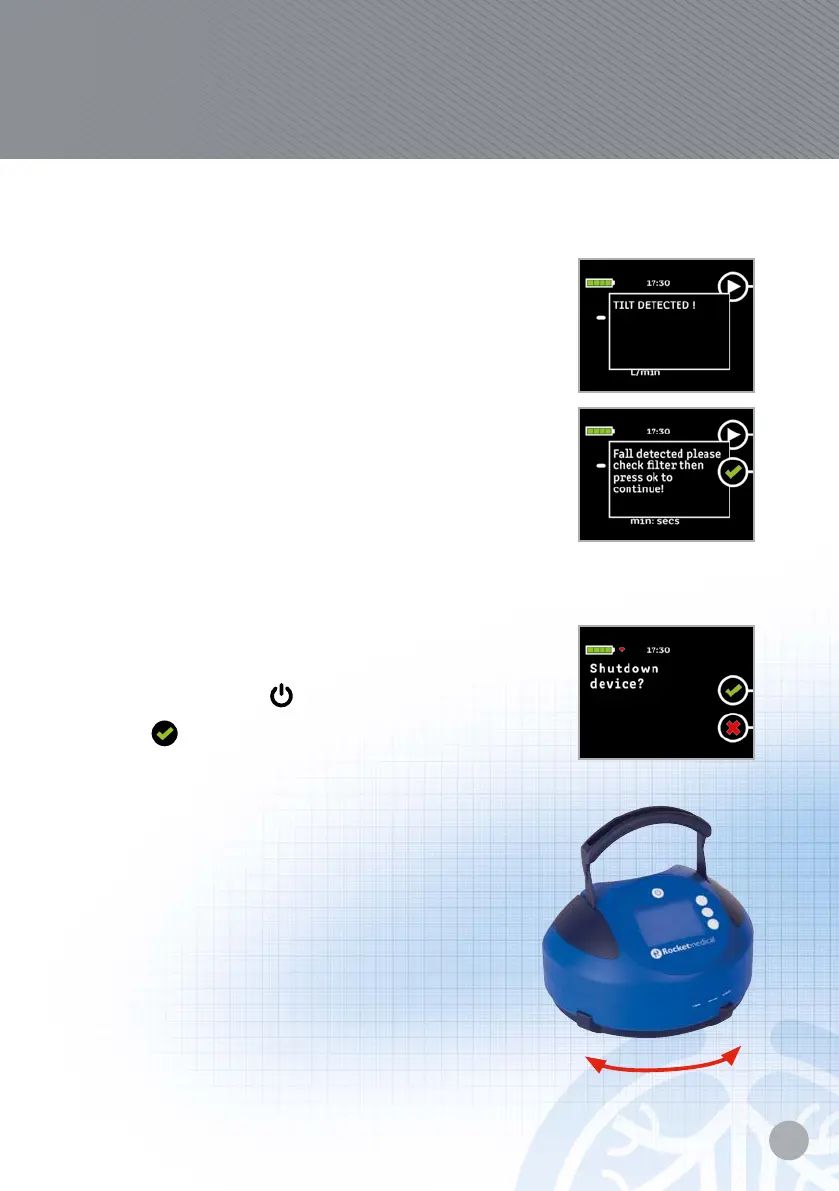
If the PSU and chest drain unit tip or fall over the
following screens will show and an audible alarm
will sound.
If the tilt screen is showing the screen and alarm will
switch o automatically when the device is placed
upright again.
The PSU will continue at the programme suction level.
If the fall screen is showing, you will be asked to check
the lter and then switch o the alarm and screen
manually.
The PSU will continue at the programme suction level.
Switching the unit o
When this has been completed turn the device o by
pressing and holding
for longer than 2 seconds.
Press
to shut down device.
Disconnecting the suction unit
from the chest drain bottle
With slight downward pressure rotate the locking
ring anti-clockwise.
1. Lift for chest drainage bottle.
2. Remove lter from bottle and dispose of.
3. Recharge PSU
™
in preparation for next use.
Lock
Unlock
Rocket
®
Quick User Guide
Rocket
®
PSU
™
Portable Suction Unit


 To Next Page