EasyManua.ls Logo

RockJam RJ540-SK - User Manual

RockJam RJ540-SK
29 pages
Print Icon
To Next Page IconTo Next Page
Loading...
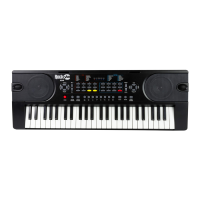
RJ540 / RJ540-SK
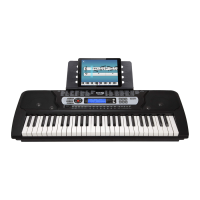
RJ541 / RJ541-SK
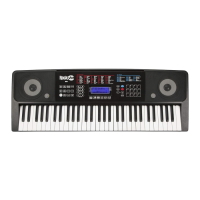
RJ640 / RJ640-SK
RJ641 / RJ641-SK
Multi-function Keyboard
User Guide

Questions and Answers

  • K
    Kimberly EdwardsAug 10, 2025
    How to fix no sound on my RockJam RJ540-SK?
    • N
      Nathan MedinaAug 10, 2025
      If you're not getting any sound from your RockJam Keyboard when you press the keys, here are a few things to check: * Make sure the master volume is turned up to a suitable level. * Ensure that headphones or other external equipment aren't plugged in, as they'll automatically disable the built-in speakers. * Verify that fingered chord mode isn't active, as incorrect key presses in this mode won't produce sound. * Confirm that the volume isn't set to the lowest level (muted).
  • L
    Laura LewisAug 16, 2025
    What to do if my RockJam RJ540-SK sound is distorted?
    • D
      Dawn MorganAug 16, 2025
      If the sound from your RockJam Keyboard is distorted or interrupted, and the keyboard isn't working as expected, it might be due to the power adapter. Try using the power adapter that came with your keyboard. Alternatively, the batteries may need replacing.
  • B
    Brooke KingAug 22, 2025
    What to do if auto accompaniment does not work on RockJam RJ540-SK?
    • J
      Jordan FullerAug 22, 2025
      If the auto accompaniment isn't working in SYNC status on your RockJam Keyboard, ensure that Chord mode is selected. Then, play a note using the first 19 keys on the left side of the keyboard.
  • N
    Nicholas TylerAug 28, 2025
    Why is the pitch of the note not correct on RockJam RJ540-SK?
    • E
      Elizabeth RogersAug 28, 2025
      If the pitch of the note on your RockJam Keyboard sounds incorrect, verify that the transpose setting is set to 00.
  • A
    Amanda HartmanSep 2, 2025
    Why is there noise when turning RockJam RJ540-SK on?
    • H
      Howard WoodardSep 2, 2025
      This faint noise when turning your RockJam Keyboard on or off is normal, so there's no need to worry.

Summary

Important Information

Safety Precautions

Essential safety guidelines for operating the keyboard safely and preventing damage.

Usage and Handling

Proper methods for using, placing, and maintaining the electronic keyboard.

Controls and Indicators

Front Panel Overview

Detailed description of buttons, knobs, and indicators on the keyboard's front panel.

Getting Started

Power and Battery Setup

Instructions on connecting the power adapter or installing batteries.

Keyboard Operation Basics

Power and Volume Control

How to turn the keyboard on/off and adjust master volume levels.

Tone Selection

Changing Instrument Tones

Guide on selecting and changing the instrument sounds.

Rhythm Functions

Selecting and Playing Rhythms

Steps to choose and start/stop built-in rhythms.

Volume and Tempo Adjustments

Accompaniment Volume

How to adjust the volume of the accompaniment tracks.

Tempo Settings

How to adjust the tempo for rhythms, metronome, and demo songs.

Chord Accompaniment Styles

Recording and Playback

Rhythm Programming Guide

Demo Song Playback

Interactive Teaching Modes

Advanced Music Learning

Appendix V: Troubleshooting

Appendix VII: Technical Specifications

RockJam RJ540-SK Specifications

General IconGeneral
Number of Keys54
Touch ResponseNo
Voices100
Rhythms100
Built-in SpeakersYes
MIDI ConnectivityNo
Power Source6 x AA batteries or power adapter
IncludedStand, Headphones
Polyphony8 notes
ConnectivityHeadphone Output

Related product manuals